
I run the most complicated option on this list. Every day, on my own machines, self-hosted, and it’s more complicated than I’d like to admit.
If you asked me where to start with Agents, I wouldn’t send you there. I’d tell 90% of you to start somewhere else entirely.
Most content about AI agents for marketing ranks tools by what they can do. This one ranks starting points, by how much operating work each one hands you.
Four rungs, from the agent you’re already paying for to the one I’m testing that isn’t ready yet.
What is an AI agent?
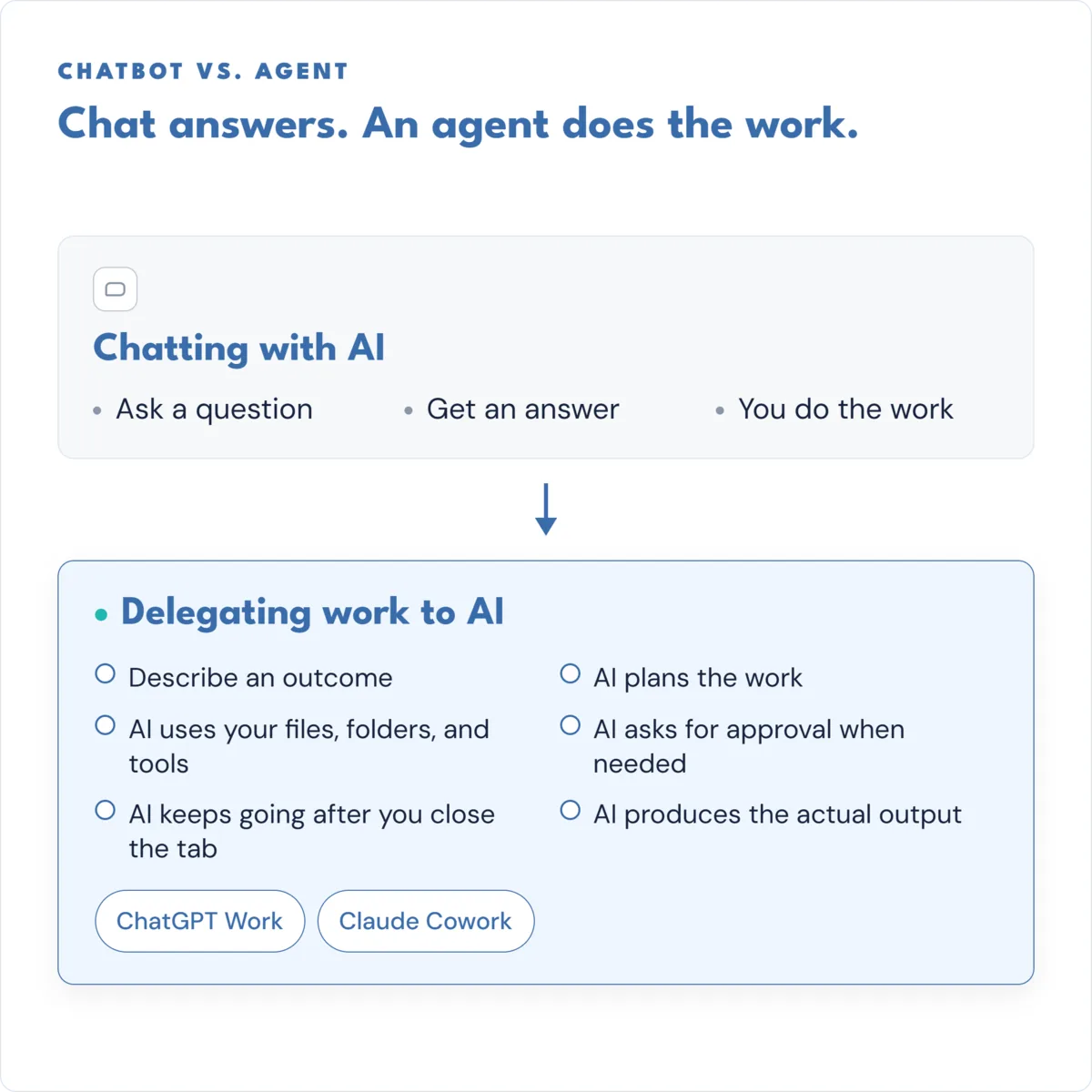
An AI agent is an LLM that can take actions for you, not just answer questions. You hand it a task, it uses tools like your files, your apps, or a browser to work on it, and it keeps going after you close your laptop. A chatbot answers you. An agent does the work, then reports back.
“Agent” is a very nebulous phrase right now. Thanks to other marketers hyping it up. The test that matters isn’t architecture, it’s behavior: can it act on its own, and keep working after you stop watching?
That’s useful for bounded, reversible jobs you can supervise. Agents are not trustworthy yet for anything you’d walk away from completely.
Chat answers. An agent does work, then reports.
I think of it as two different uses.
- Chatbot: read-only and turn-based. You ask, it answers, you ask again.
- Agent: read-and-write reach into your actual tools, and it keeps working between your turns, not just during them.
Here’s the difference you’d actually notice: close the chatbot’s tab and it stops completely. Close the agent’s tab and it might still be running.

So is ChatGPT an AI agent?
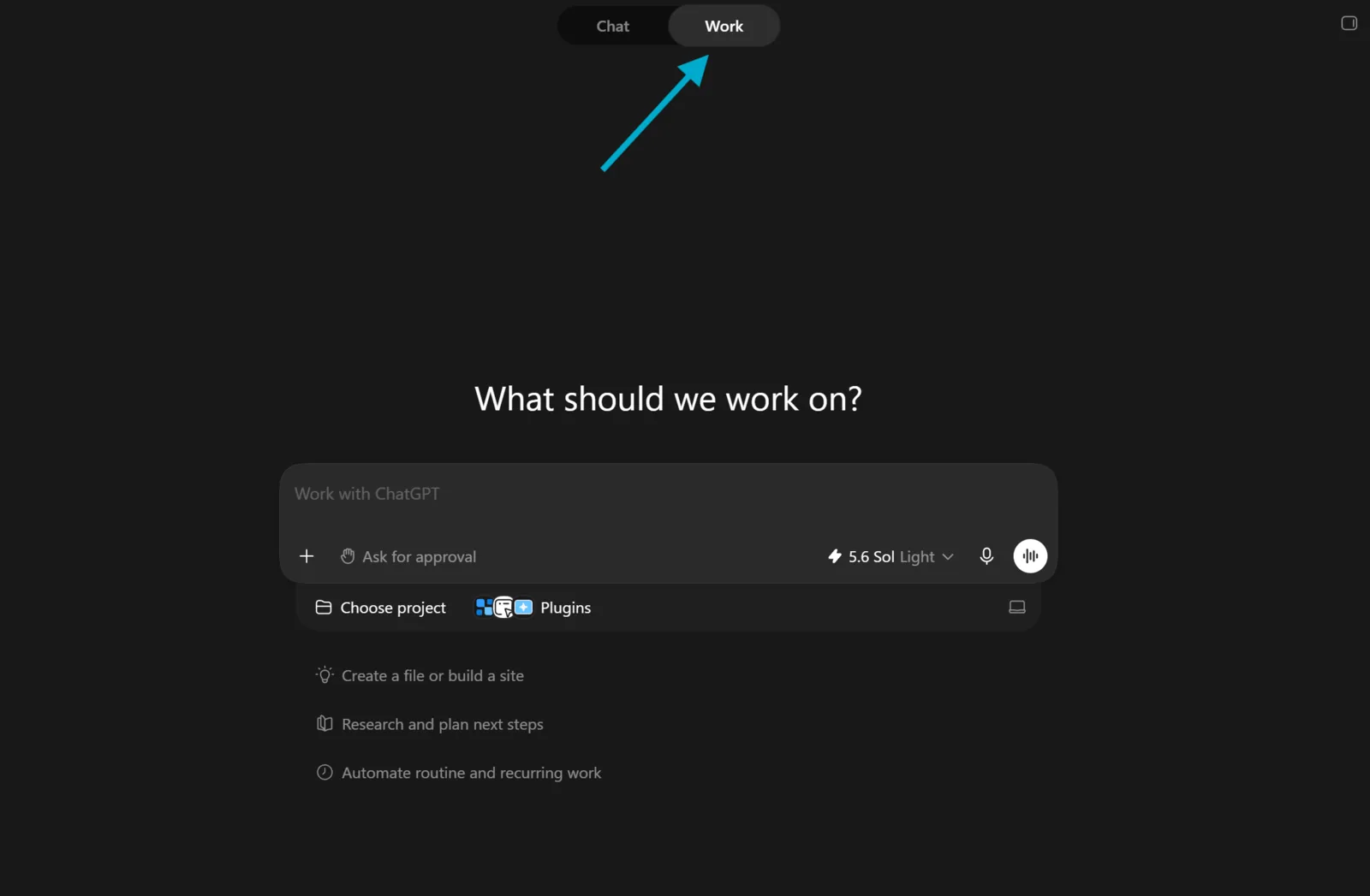
Not the chat box. The agent mode built into it is.
ChatGPT Work launched July 9, 2026, as an agent mode inside ChatGPT, not a separate product or subscription tier. If you already pay for ChatGPT Plus or Claude Pro, you already own an agent, and most of you just haven’t turned it on yet.
What actually changed in 2026 was plumbing, not intelligence
The reason agents got useful this year has little to do with models getting smarter. Three unglamorous things got built instead.
Your tools finally speak one language
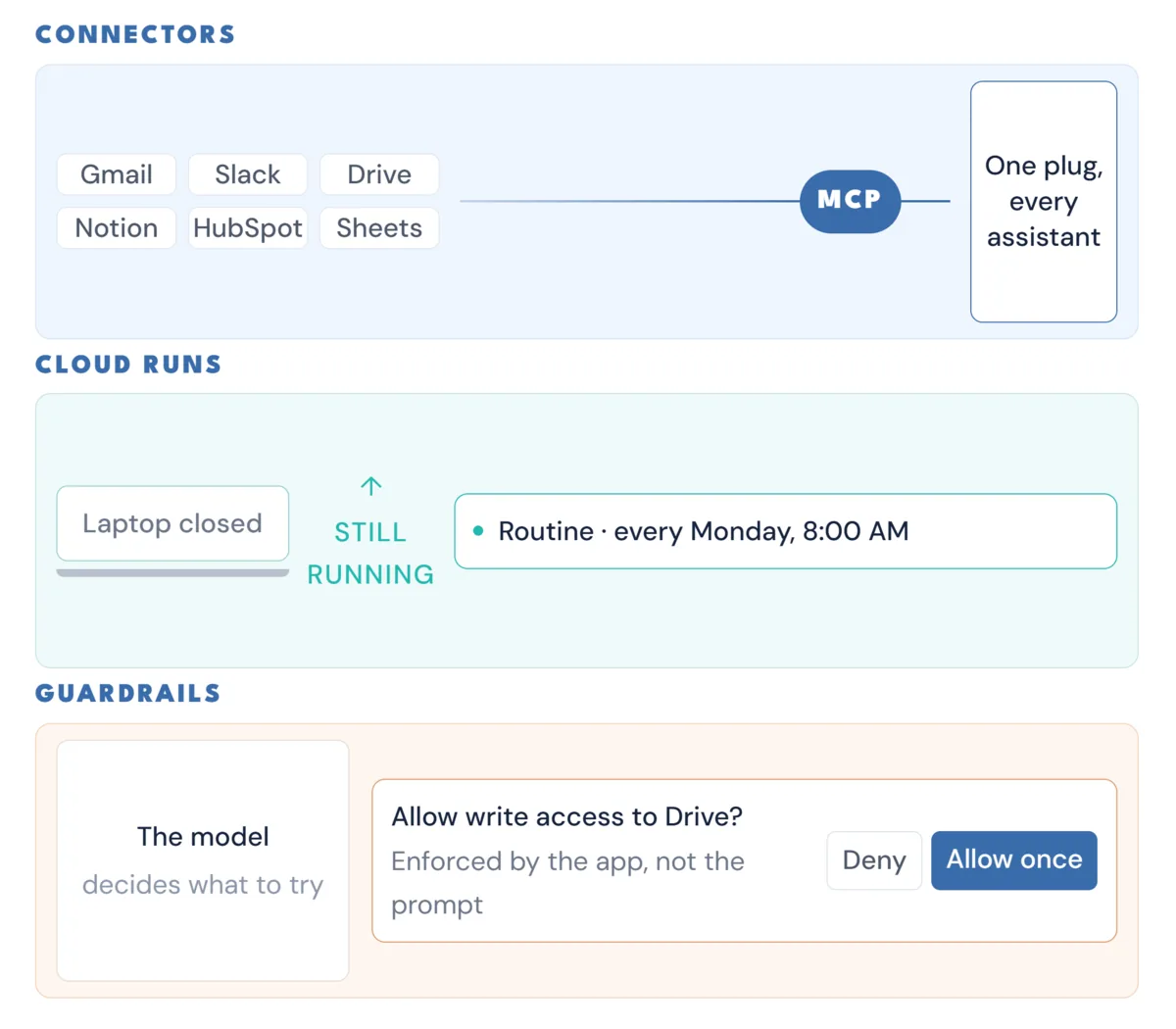
For years, every AI assistant needed its own custom connector for every tool. That changed when MCP, the protocol letting an assistant talk to your apps, stopped being a conversation with your developer.
In December 2025 it was donated to the Agentic AI Foundation, a directed fund under the Linux Foundation, co-founded by Anthropic, Block, and OpenAI, with Google, Microsoft, AWS, Cloudflare, and Bloomberg backing it too.
In plain terms: a connector built for one assistant now tends to work in the others. That’s why every platform’s tool list got long, fast.
Snyk found that 46.9% of the 3,044 enterprise environments it studied have already adopted agentic setups built on AI agents, MCP servers, or both. Competitors don’t co-found a foundation for a fad.
You can close your laptop now
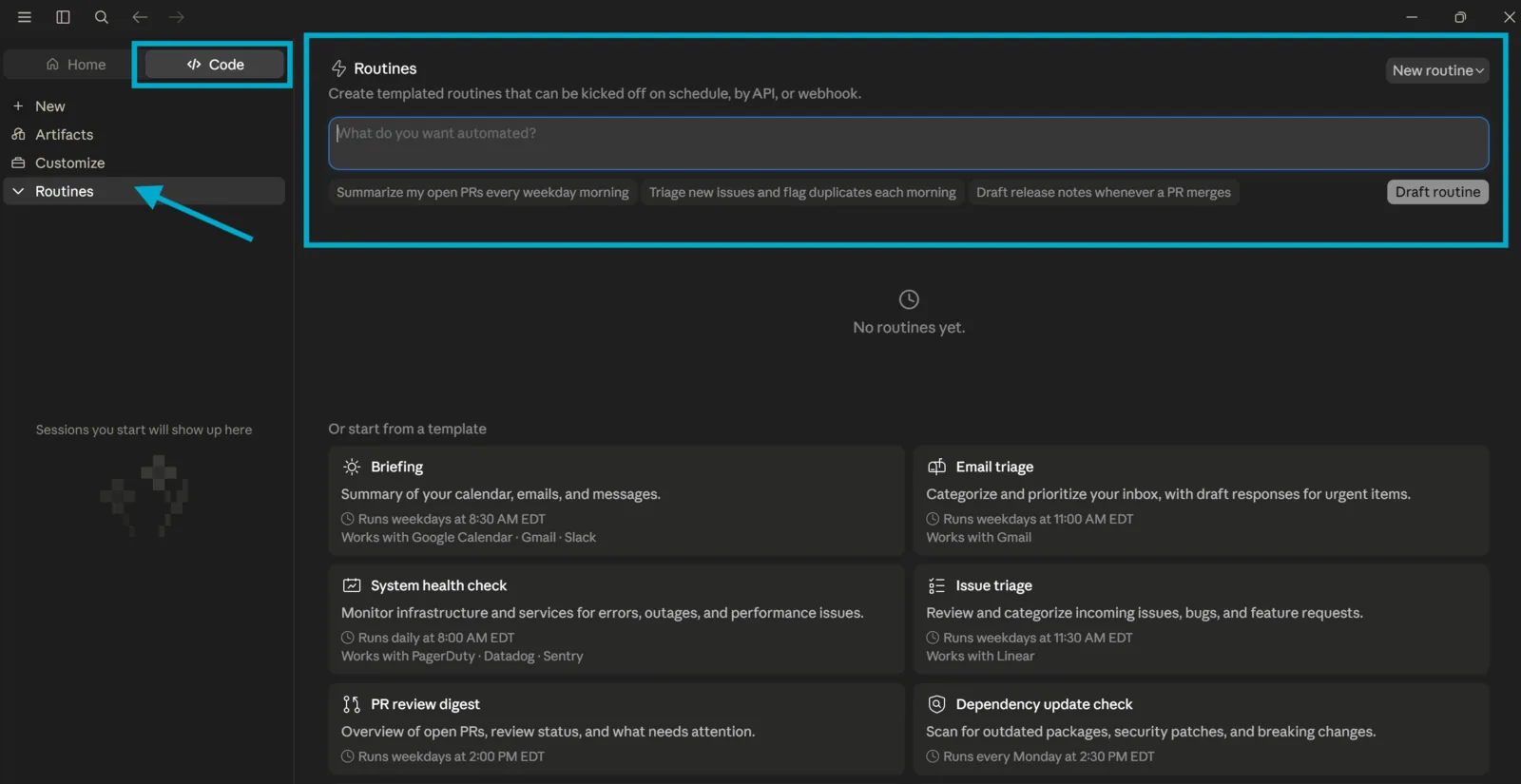
Both AI leaders shipped the same thing this year. Anthropic put it plainly: scheduled tasks “run in the cloud, so they don’t need your computer to be awake.”
OpenAI’s version runs once, repeats on a schedule or trigger, or just monitors for changes over time. I use it 15 to 20 times a day…
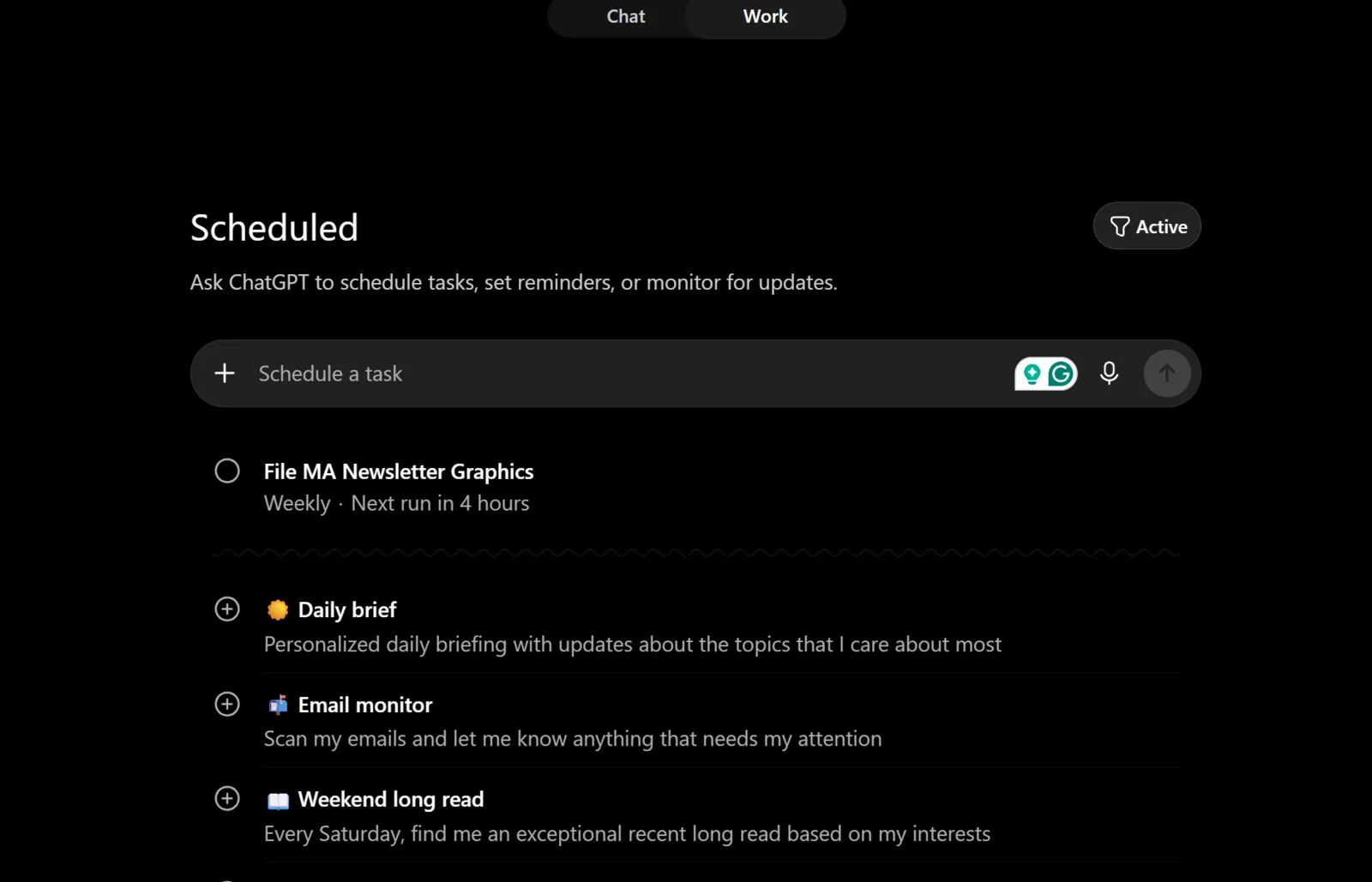
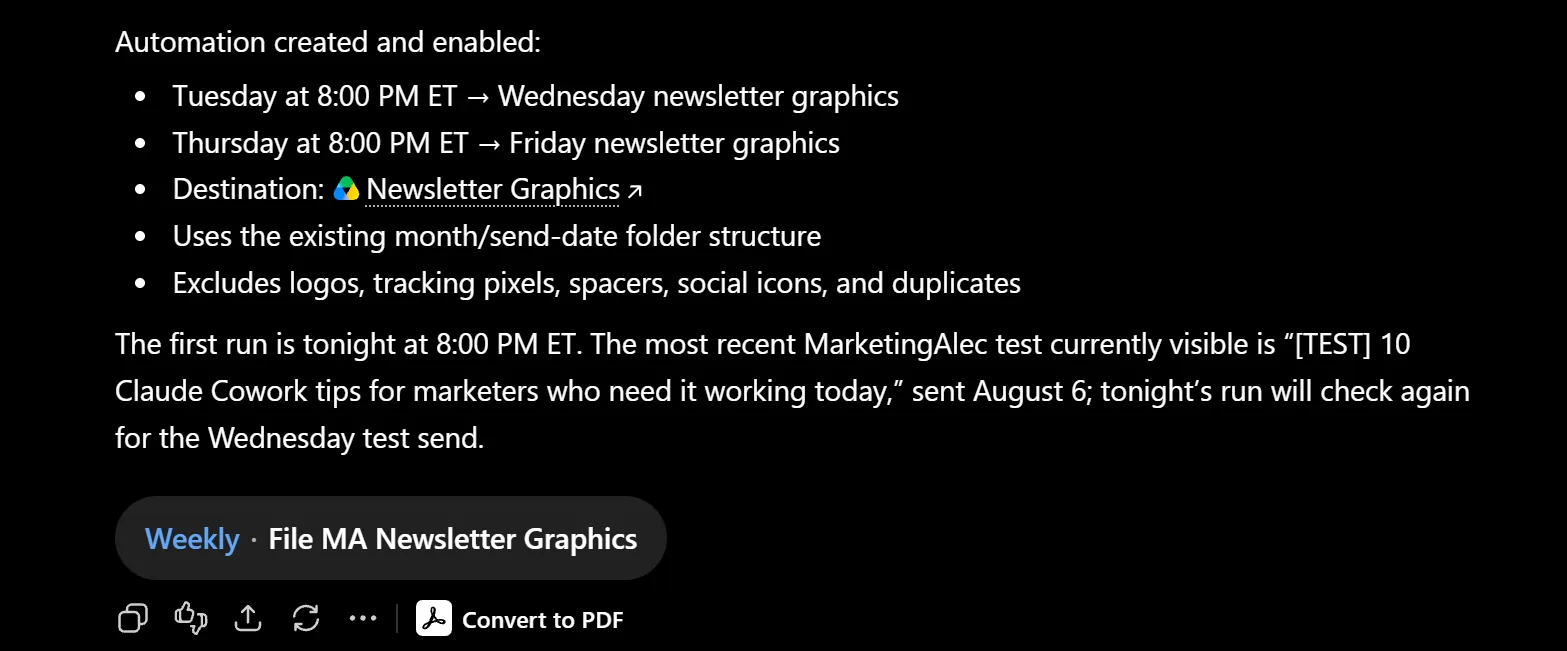
That sounds small. It isn’t. It’s what turns an agent from something you watch into something you employ.
The catch: Claude’s version, called Routines, has a one-hour minimum interval. This is cadence work, not real-time work and they’re doing this to make sure you spend lots of money on their tokens.
The guardrails moved outside the model
The most important idea here comes straight from Anthropic: “Permission rules are enforced by Claude Code, not by the model.” What you write in a prompt shapes what an agent tries to do, not what it’s allowed to do.
OpenAI puts it the same way: “You aren’t just trusting the agent’s intentions; you are trusting that the agent is operating inside enforced limits.” Claude Code’s sandbox fails open by default.
The guardrail exists. It just isn’t always up.
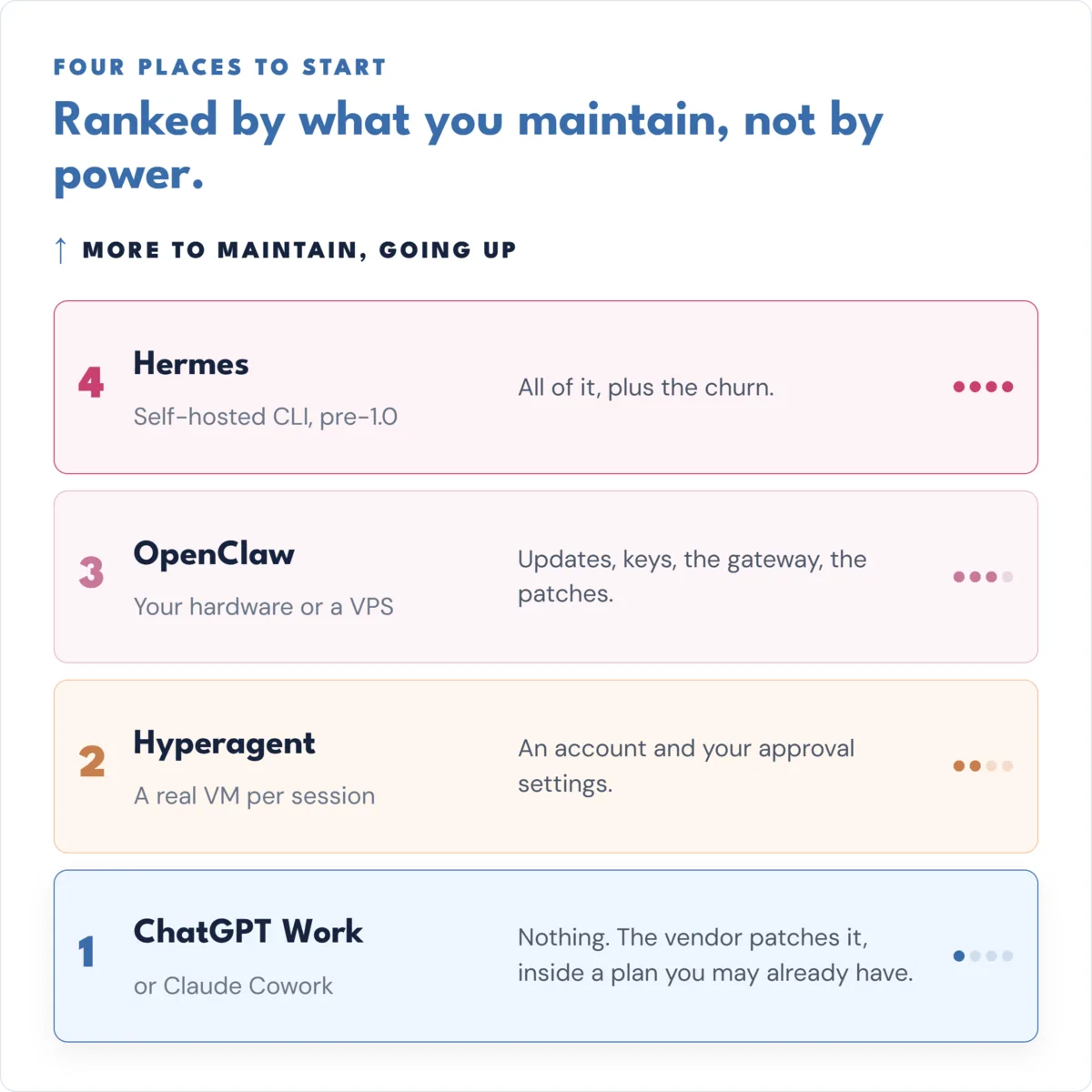
The ladder: four places to start, ranked by what you have to maintain
These four aren’t ranked by power, they’re ranked by how much operating work each one hands you: Rung 1 almost none, Rung 4 all of it, and then some.
Rung 1: the agent you’re already paying for
ChatGPT Work / Claude Cowork
Neither vendor sells this as a separate product. ChatGPT Work comes with your existing plan, and Claude Cowork went fully available on desktop, on every paid plan, back in April 2026.
What it’s genuinely good at is finished artifacts: point it at your source files and it’ll build a doc, a sheet, a slide deck, even a simple web app.
Worth knowing: Claude Cowork’s web and mobile version is still in beta, for Max, Team, and Enterprise only. Pro is still waiting.
The limit, in the same breath: skills you build in one place don’t follow you to another. Something you set up in Claude Code won’t show up in Claude.ai. I’ve written before about how Cowork and Claude Code differ if you want more.
Rung 2: a cloud fleet that ships
Hyperagent
Hyperagent gives every session its own isolated environment: in the company’s own words, “not a sandbox, a real computer with a filesystem and shell.”
It comes from Howie Liu, Airtable’s founder, and the corporate detail is worth knowing. Right before Bending Spoons bought Airtable on August 4, 2026, the Hyperagent business was carved out into its own Delaware company, Hyperagent Inc. He sold the database company and kept this one.
The part that really appeals to me is that I can share agents, skills, and workflows with my team.
Two things to know before you touch it. Billing is per-run, and the only public numbers are examples, like a 29-minute run costing $24.79. Warning it’s expensive and uses more tokens that running it directly in Claude or ChatGPT.
The second: the MCP Connector is read-only. You need to make any changes or updates in the UI so it’s a click fest.
Rung 3: your own machine, where I started
This is what I run. Every day, across four agents. I like it but don’t love the maintenance.
What OpenClaw is genuinely good at is ownership. Plain-text memory I can actually read, not a black box. It’s free, MIT-licensed, and you bring your own API key for any AI model you want to use.
OpenClaw isn’t a hobbyist project either: 11,365,016 npm downloads in the 30 days ending August 9, 2026, and it’s closed 92.5% of every issue ever filed against it. That’s healthy, not abandoned. NVIDIA has an enterprise version, and I expect we’ll continue to see people build off of it.
Here’s the caveat, in the same breath: roughly 575 CVEs got logged against it this year. it’s a complex piece of software with a lot of dependencies so if security is paramount to you, adopt slowly and carefully.
Self-hosting isn’t the safer option. It just moves all the security work onto you.
I keep it running because it ships work 24/7 365. It’s low-cost and I can customize it to my heart’s desire.
Rung 4: the tinkerer’s edge
Hermes
Where I’m testing right now. you’ve probably been flooded with YouTube videos of Hermes. I finally succumbed and started testing it. Genuinely interesting, and genuinely not ready. Both at once.
The latest release, v0.20.0, nicknamed “Herald,” shipped August 3, 2026, adding voice, agent-to-agent messaging, signed webhooks, and cited sources. this is what pushed me over to testing it, Voice.
The real story is what popularity did to it. It doubled to 228,443 GitHub stars in about four months, and it’s sitting on 20,417 open pull requests against 10,200 open issues, meaning two-thirds of the “open issues” are actually unreviewed contributions. It’s closed 50.7% of issues ever filed, against OpenClaw’s 92.5%, same ecosystem, same year.
One more thing: Hermes shows 8 CVEs against OpenClaw’s roughly 575. That’s not 70 times safer, it’s a disclosure difference. Hermes doesn’t publish advisories or run a bug bounty. OpenClaw does. So I would not test it if security is paramount, as who knows how many holes you’re introducing.
But it has lots of elegant features, like being able to run in the cloud and locally out of the box and no need for an openrouter subscription.
The four rungs side by side
Costs are current as of August 2026, and where a price doesn’t exist, I’ve said so instead of guessing.
| Rung | What it costs | Where it runs | What you maintain | Genuinely good at | What breaks |
|---|---|---|---|---|---|
| 1. ChatGPT Work / Claude Cowork | Inside a plan you may already have. ChatGPT Plus $20/mo, Business $20/user/mo annual. Claude Pro $17/mo annual or $20 monthly, Team $20/seat annual. No separate agent SKU. | Vendor cloud, plus your desktop for local files. Keeps running with the laptop closed. | Nothing. The vendor patches it. | Finished artifacts from your own files; scheduled monitoring digests. | Silent no-ops, confident wrong numbers, skills that don't follow you between surfaces. |
| 2. Hyperagent | Usage-based. No published price. Public examples are per-run, like 29 minutes at $24.79. | Vendor cloud, a real VM per session. | An account and your approval settings. No servers. | Parallel cloud runs that drop finished work into a shared library. | Unknown, and that's the finding. No independent evaluation exists. Open-ended spend. |
| 3. OpenClaw | Free and MIT. You pay your own model tokens and your own hosting. | Your hardware or a VPS. | All of it. Updates, keys, the gateway, the patches. | Ownership and auditability. Plain-text memory you can read. | The security surface becomes yours. ~575 CVEs logged in 2026. Built for one trusted operator. |
| 4. Hermes | Free plus your own tokens. Portal tiers exist; prices aren't published. | Your hardware, self-hosted CLI. | All of it, plus the churn. Install channels were retired; Node 26 required. | Being early. New capabilities land here first. | Pre-1.0 with no roadmap to 1.0, and 20,417 pull requests nobody has reviewed. |
Read the “what you maintain” column first. It’s the one actually deciding this, not the capability column.
What the numbers say when you take the hype out
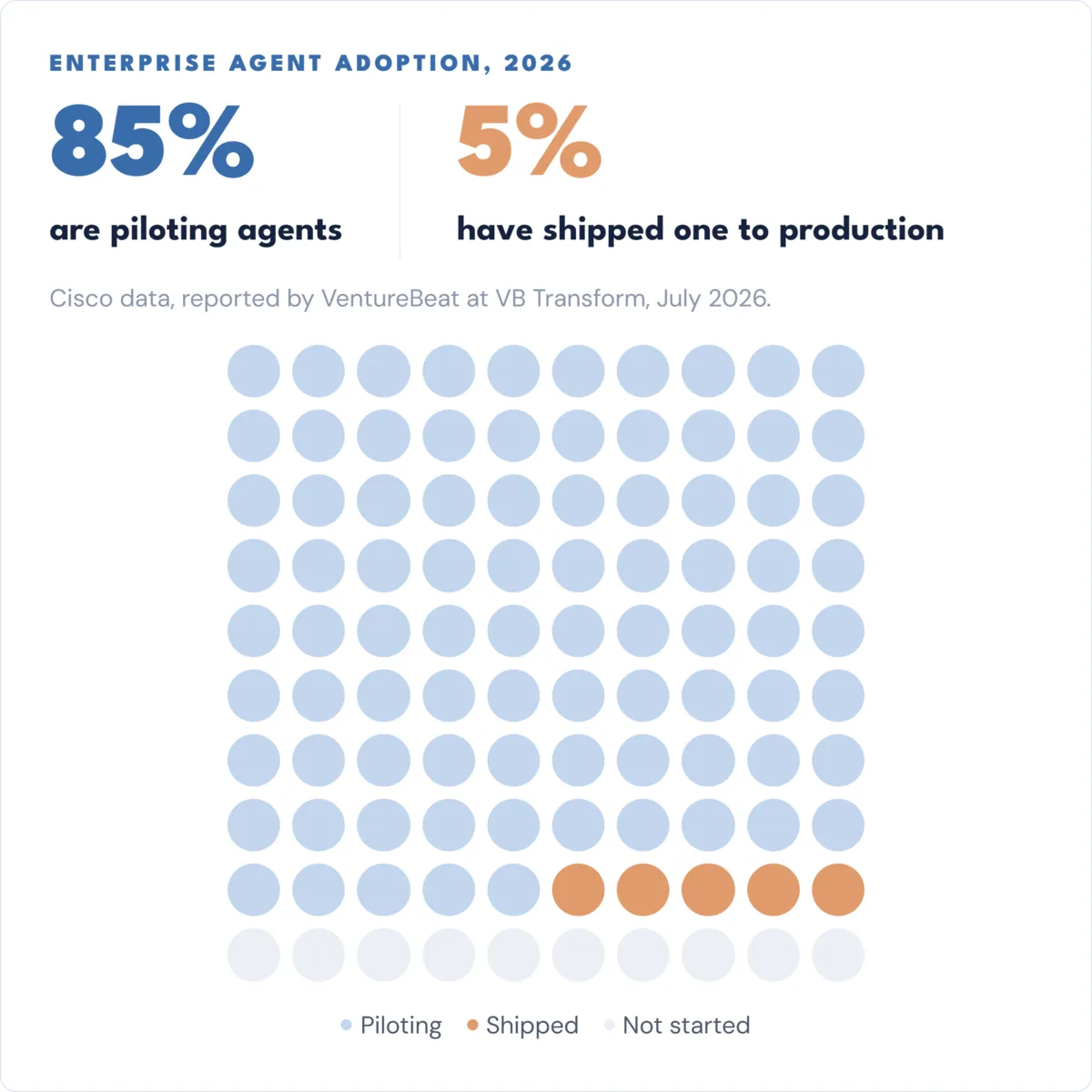
85% are piloting. 5% have shipped.
Cisco data, reported by VentureBeat in July 2026: 85% of enterprises are piloting AI agents, only 5% have shipped one to production.
It gets sharper. In a survey of 157 enterprise respondents, half had shipped an agent that passed internal evaluations and then caused a customer-facing failure anyway, a quarter of them more than once.
Only 5% said they fully trust their own automated evaluations. Yet 66% still allow, or are building toward, deployment with no human review.
The failure is usually your data, not the AI
The best real-world numbers I found: 147,351 agent actions across more than 40 companies, tracked March through June 2026.
About 1 in 10 executions failed (9.6%), clustered hard: onboarding and offboarding at 18.5%, identity and access at 13.5%, hardware at just 2.1%.
The single biggest cause was “target not found,” 48.5% of all failures: the agent went looking for a person, group, or account that wasn’t where the records said. Invalid input adds another 29.3%.
The takeaway is blunt: the fix is spreadsheet hygiene, not a smarter model.
The human-in-the-loop setup worked. Rejection of proposed actions fell from 27% to 16%, while the AI-executed share rose from 23% to 41%.
Start here this week
- The rung: Rung 1, whatever you’re already paying for, ChatGPT, or Claude. Don’t buy anything new.
- The task: one scheduled monitoring job that writes you a digest. Track a competitor, a keyword set, or a newsletter. It reads public information and sends you a summary.
- Why this task, and not something flashier: it’s reversible, it touches no identity and no permissions, and the worst realistic outcome is an empty email. That maps directly to the 48.5% failure cause from the last section, the “target not found” problem.
- Set it up with the narrowest access that lets it actually work. That’s OpenAI’s own guidance for unattended runs, and it’s good advice no matter which tool you use.
- Check it on day seven, not day one. Week two of it running without you is the goal.
The mental model worth keeping: my agents are interns. Managing them, takes management skills, not software skills. How many interns do you want in your life?
The ladder’s there whenever you want to climb it. There’s no prize for climbing it early.