
Automation & Workflows · Claude Code · Quick Guide
10 Claude Code Tips for Marketers
10 Claude Code workflows that compound: CLAUDE.md, skills, sub-agents, MCP servers, and more, built for marketing teams. Get the full clickable cheat sheet.
Claude Code isn't just a place to chat with an AI. It's a terminal-native workspace that reads your files, remembers your standards, and runs work in the background while you do something else.
Most marketers who try it use maybe 10% of what it can do: type a prompt, get an answer, close the terminal. The other 90% is what turns Code from a chatbot into an engine that compounds every week instead of resetting to zero every session.
Here are the 10 features worth learning, what each one actually does, and how to put it to work on real marketing tasks.
Claude Code just changed how I work forever
The honest version of what these 10 tips look like stacked together on a real client job, including the parts that broke.
The 10 tips
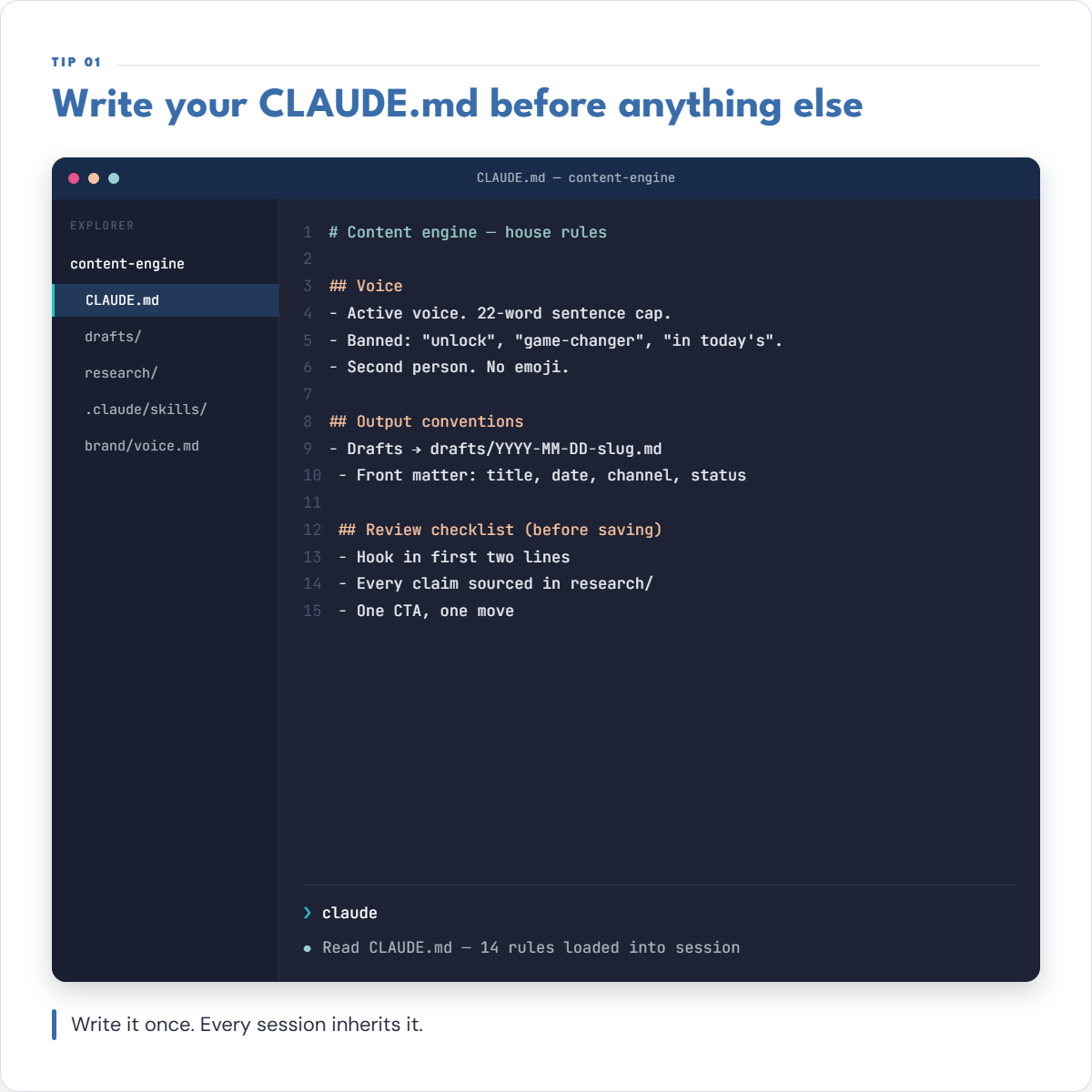
1. CLAUDE.md
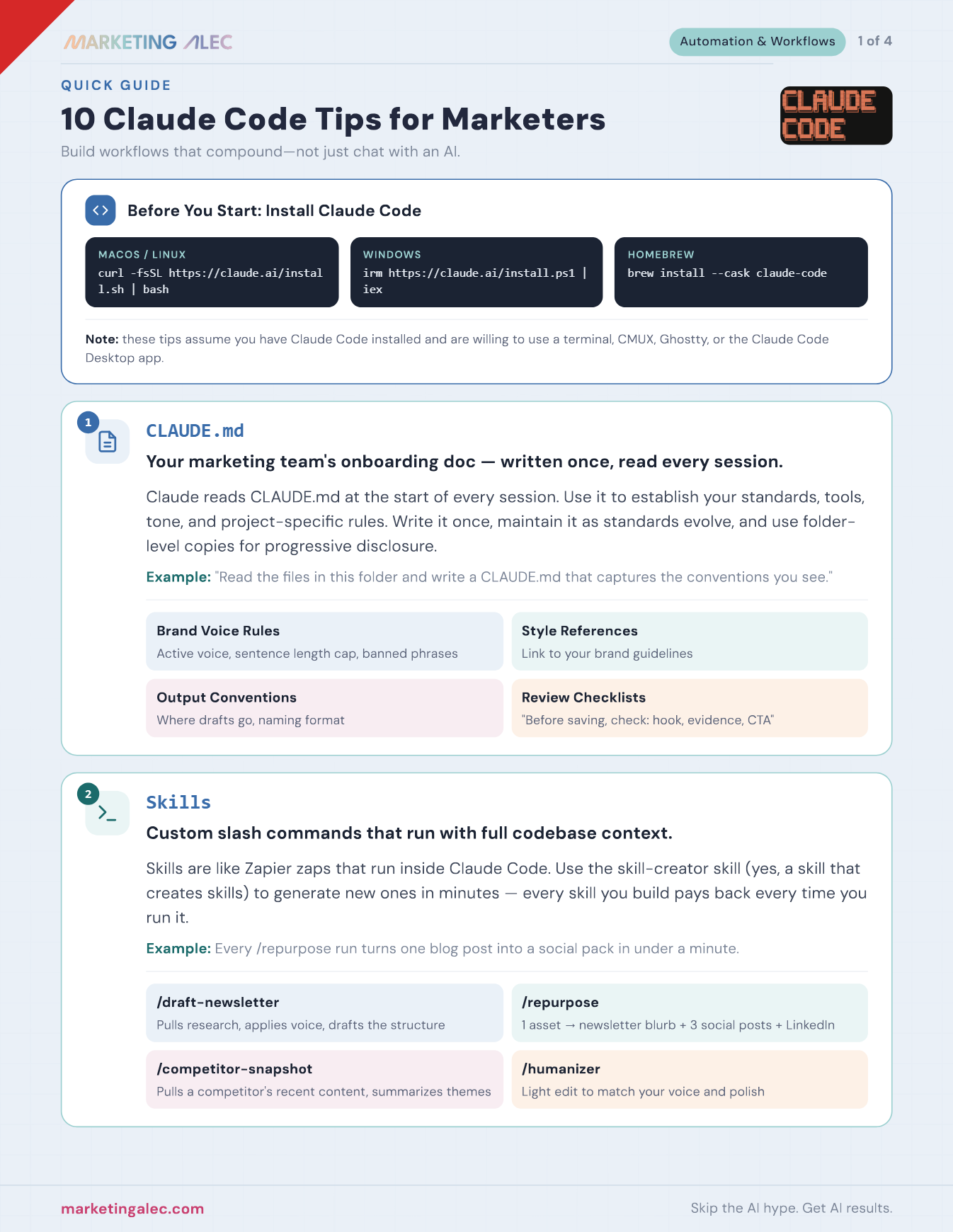
Claude Code reads a CLAUDE.md file at the start of every session, so it's the place to put brand voice rules, style references, output conventions, and review checklists once instead of repeating them in every prompt. You can layer it too: a root file for team-wide standards, plus a project or folder-level copy for anything client-specific. Keep it lean, some of the highest-performing teams keep theirs under 60 lines, since a shorter file gets read and followed more reliably than a sprawling one.
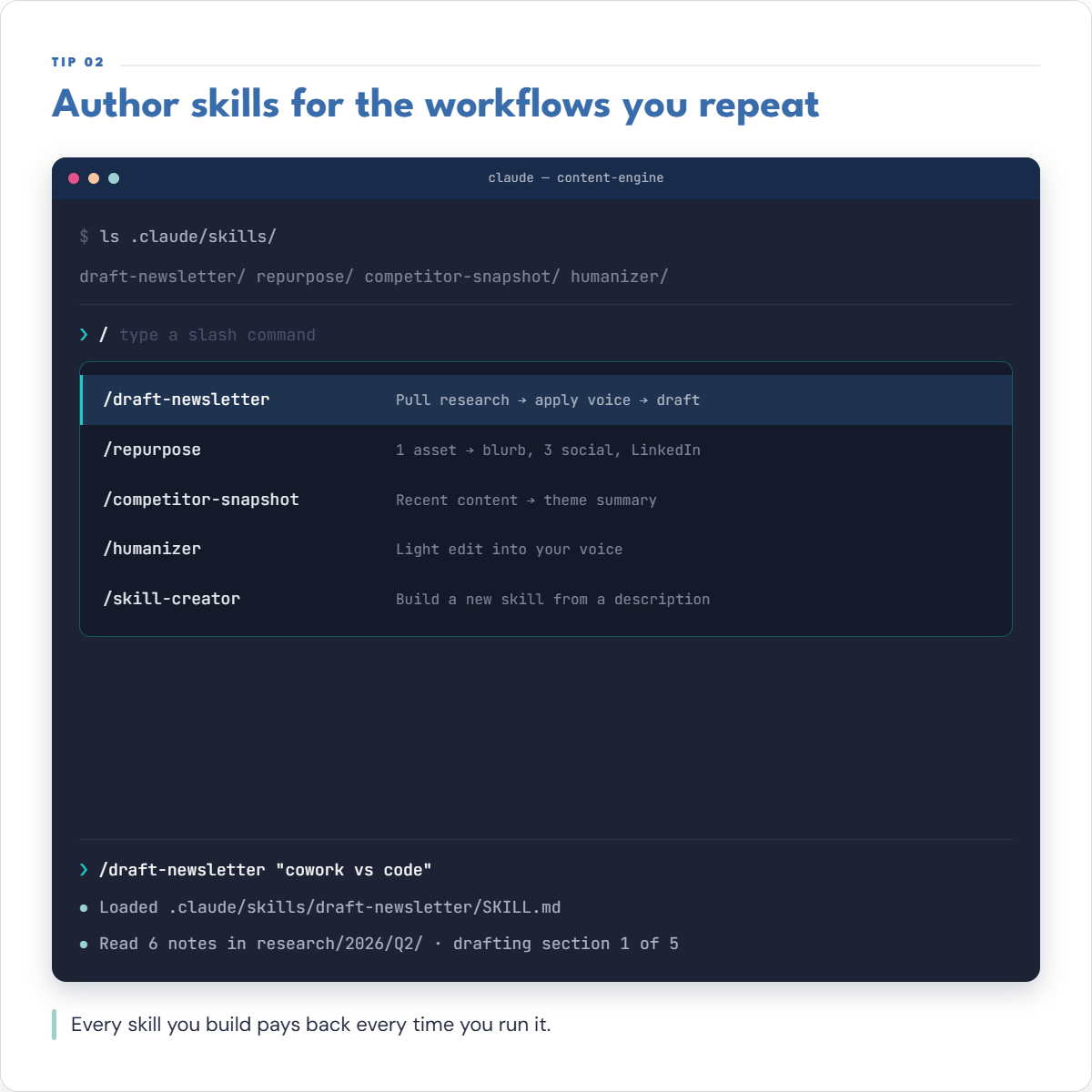
2. Skills
Skills are the slash commands you build for repeated jobs: /draft-newsletter, /repurpose, /competitor-snapshot, whatever your team runs over and over. Claude Code has folded custom commands into the broader Agent Skills standard, so a skill is just a folder with a SKILL.md file that loads only what it needs, when it's relevant, instead of stuffing your context window up front. Use the skill-creator skill (yes, a skill that writes skills) to generate new ones in minutes, and once it's built, it pays back every time you run it.
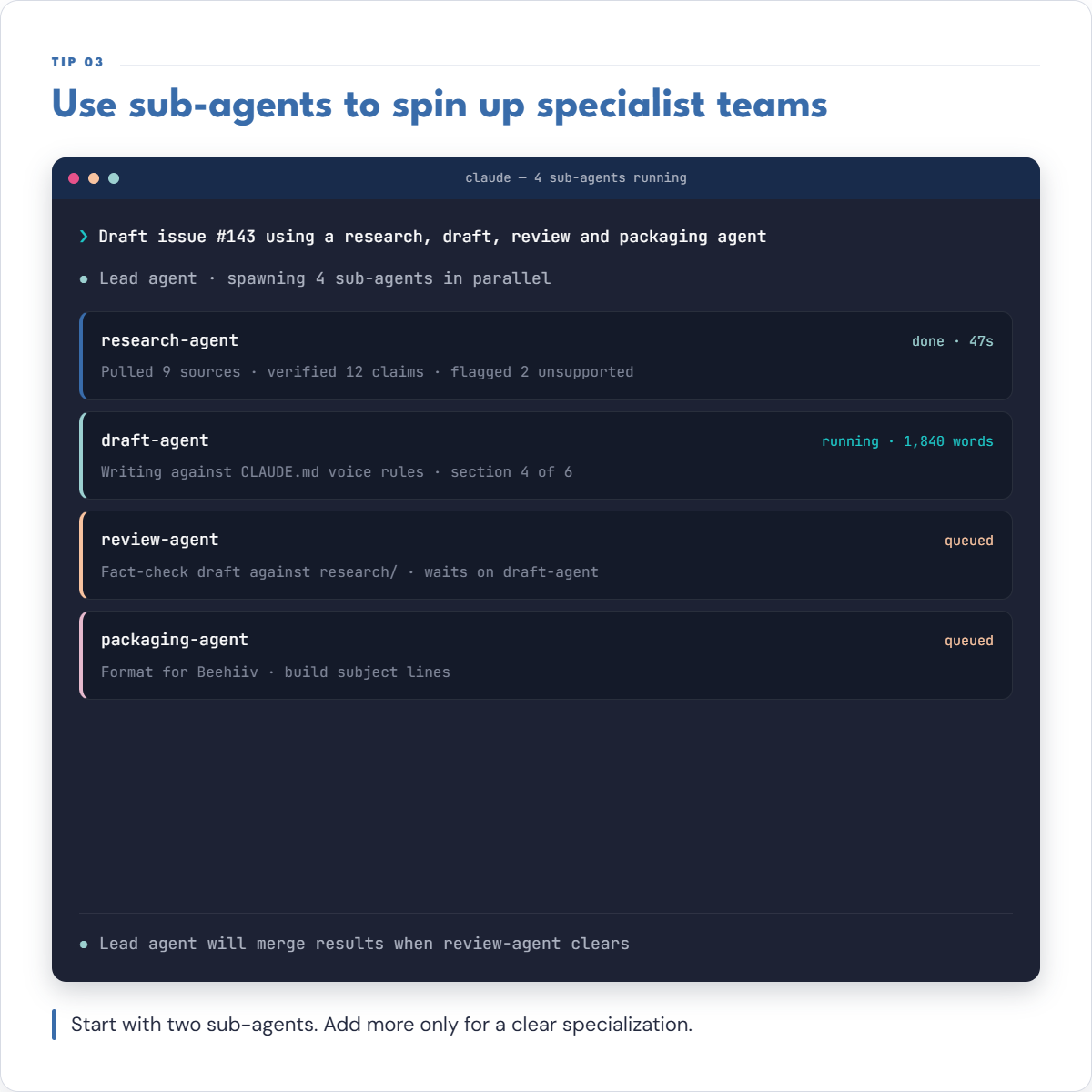
3. Sub-Agents
A subagent is a separate Claude instance the lead session spawns to work in parallel, with its own context window, tool permissions, and even its own model. Map agents to roles the way you'd staff a small team: a research agent that pulls sources, a draft agent that writes against CLAUDE.md, a review agent that fact-checks, a packaging agent that formats for your CMS. Start with two and only add more once you've found a specialization that actually needs its own context, most marketing work never needs more than four.
4. MCP Servers
MCP (Model Context Protocol) is the open standard that wires Claude Code to your actual tools, Google Drive, Notion, Slack, GitHub, WordPress, and hundreds more. Add one with claude mcp add, or check a .mcp.json file into version control so everyone on the project gets the same servers automatically. The moment you catch yourself copying data from another tool into a prompt, that's the tool that needs an MCP connection instead.
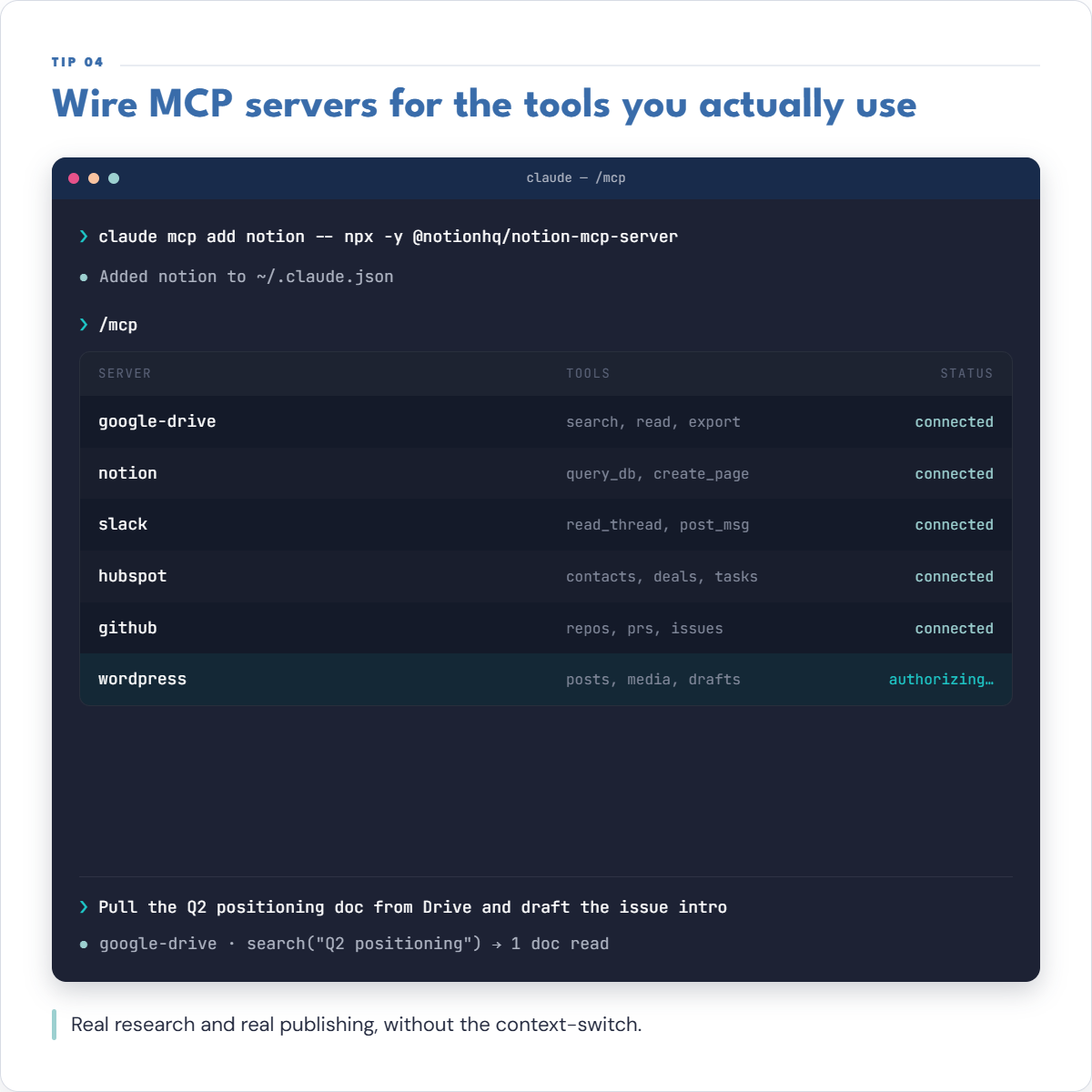
5. claude -p
The -p (print) flag runs Claude Code non-interactively: it executes a single turn from a prompt you pass on the command line, prints the result to stdout, and exits, no terminal UI, no back-and-forth. Pair it with --allowedTools and --permission-mode so it never stalls waiting for an approval, then chain it into cron jobs or shell scripts, for example git diff | claude -p "summarize changes". This is what Anthropic calls headless mode, built for overnight batch jobs that run on your existing subscription instead of racking up separate API costs.
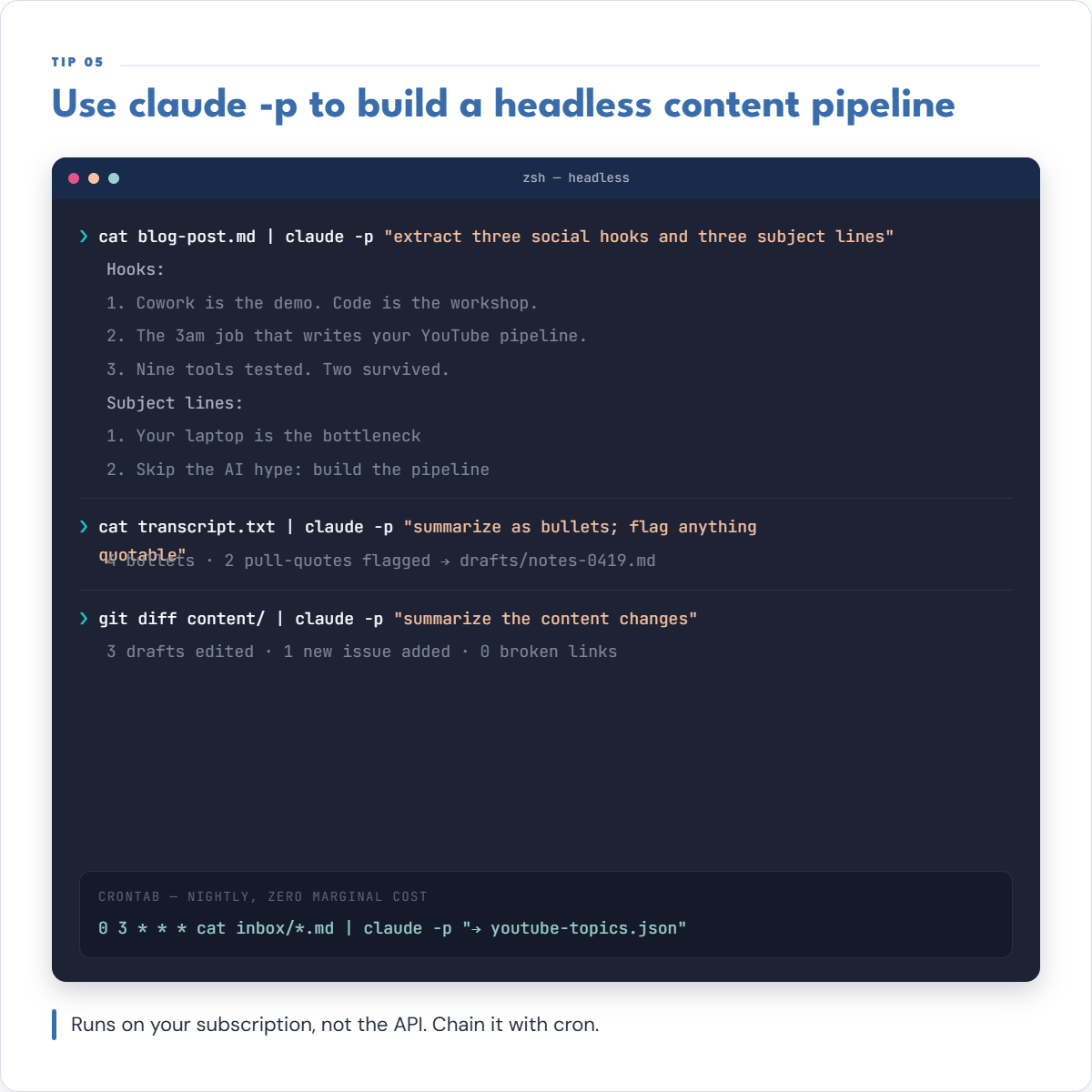
6. Routines
Routines save a prompt, a repo, and a set of connectors, then fire it on Anthropic's own cloud infrastructure on a schedule, an API call, or a GitHub event, so it runs whether your laptop is open, closed, or in a different country. They carry the same tool access as an interactive session, reading and writing files, browsing the web, calling APIs, posting to Slack. One thing worth knowing before you build around this: Routines needs a Pro plan or higher, it isn't available on the free tier.
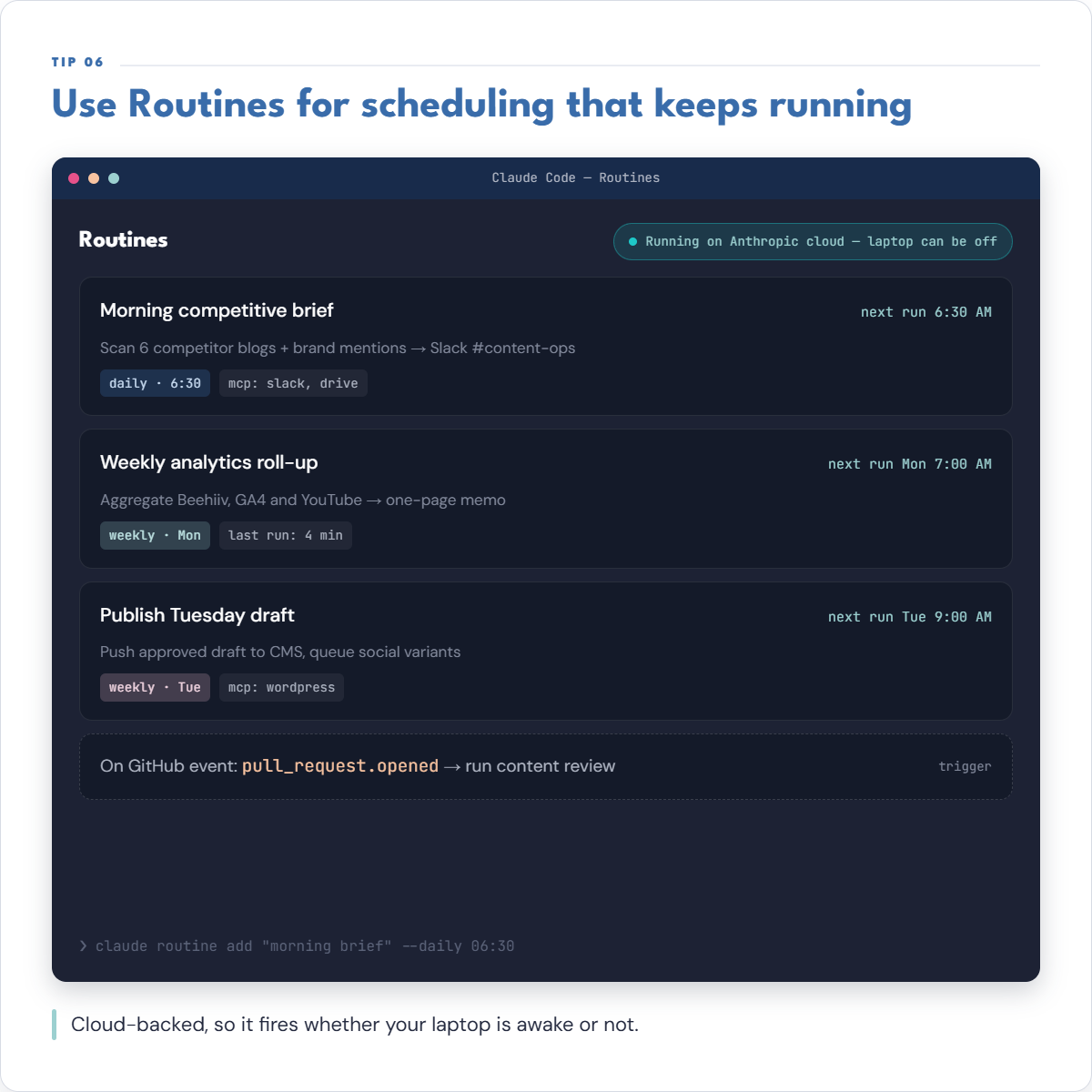
7. Hooks
Hooks are commands, HTTP calls, or even a lightweight model prompt that fire automatically at specific points in Claude Code's lifecycle: before a tool runs, after it finishes, when you submit a prompt, when a session ends. That turns standards from something Claude might remember into something that always happens, a hook can inject your brand voice into every prompt, block a response until a fresh-context reviewer checks it, or refuse to touch a production file outright.
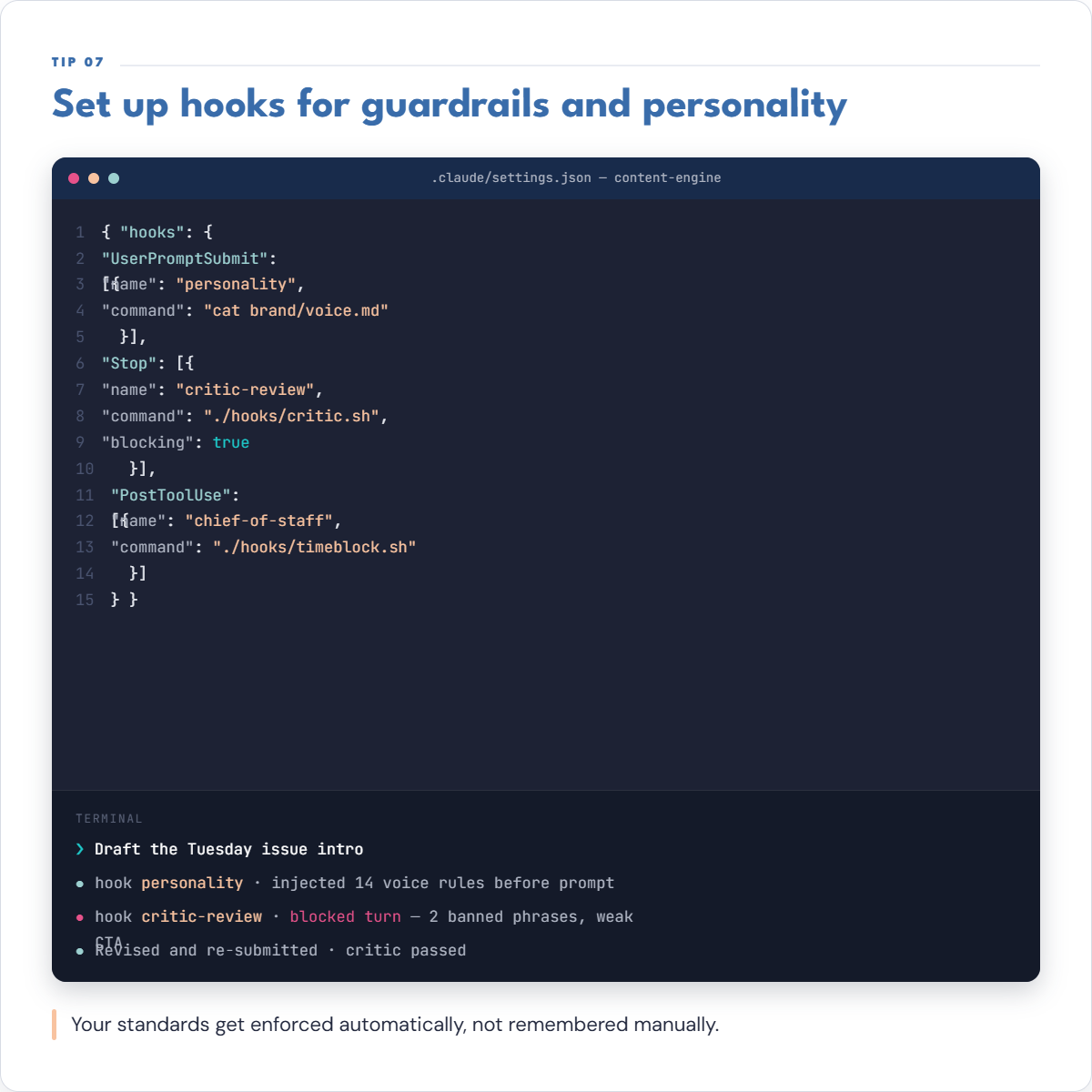
8. @Claude in Slack
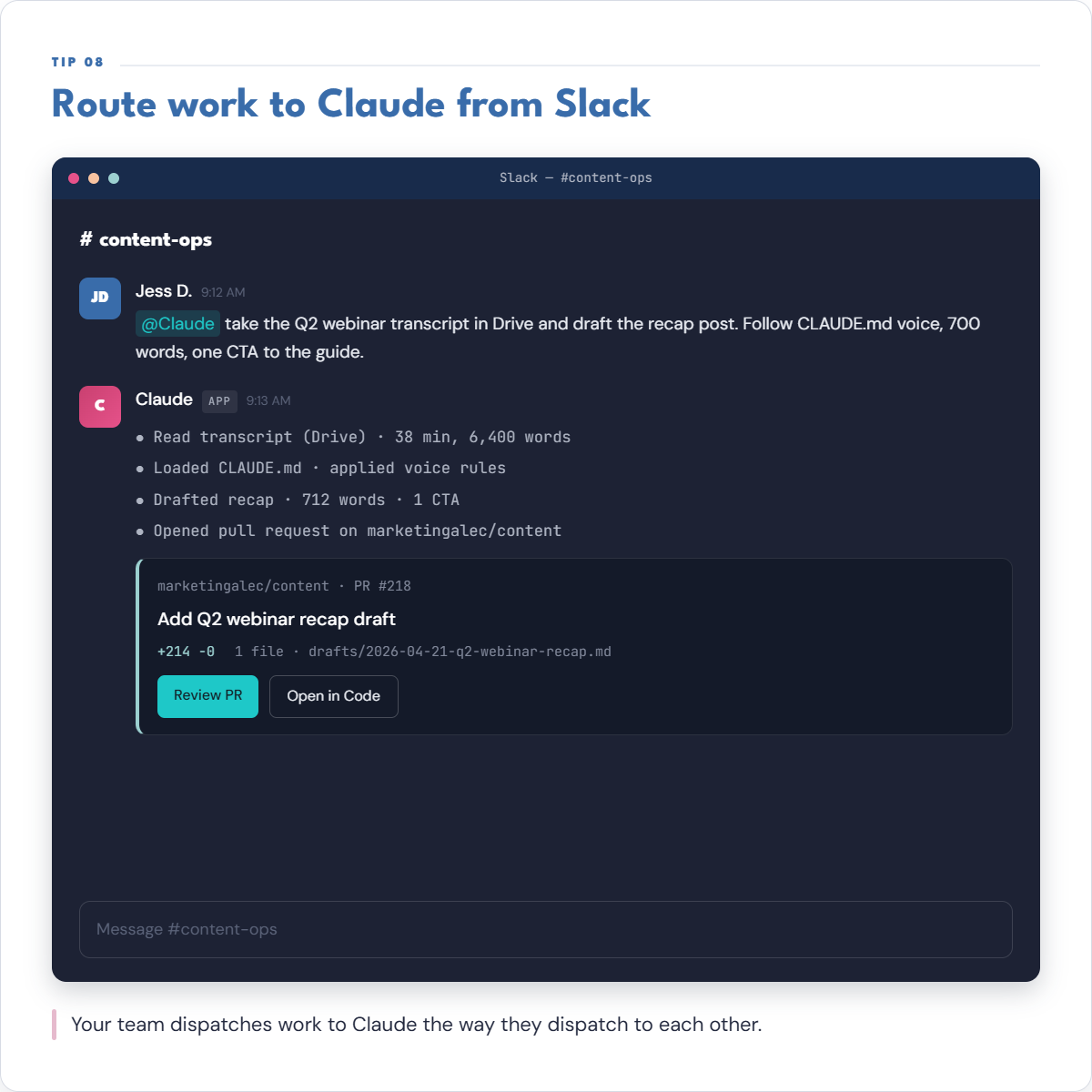
Officially called Claude Tag, this lets you @Claude in any Slack thread you've given it access to, reading the conversation and, if you've connected a codebase, handing back a PR without anyone leaving the channel. It's multiplayer, one Claude per channel that everyone can delegate to, and it keeps building context as it follows along so you stop re-explaining the same background every time. Worth checking first: as of its 2026 rollout it's in beta for Enterprise and Team customers, not every plan has it yet.
9. --teleport
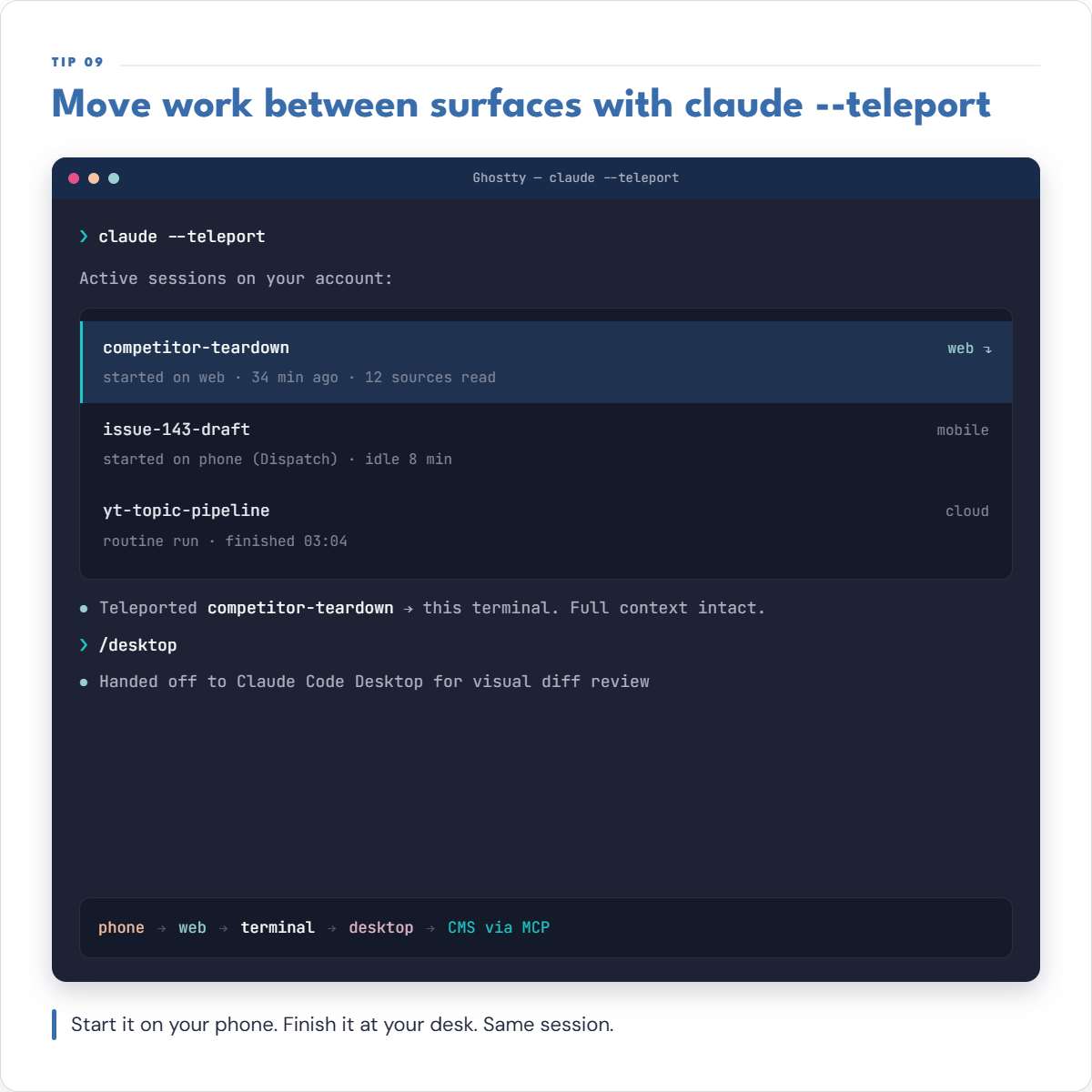
--teleport is a pull, not a push: start a conversation in the Claude web or mobile app, then run claude --teleport in your terminal to bring that exact session, full history included, down to your machine and keep working on it locally. It only runs one direction, you can't push a terminal session back up to the cloud the same way, so the practical pattern is rough out the idea on your phone during a commute, then teleport it to your desk to finish the real work.
10. Code → Claude for your team
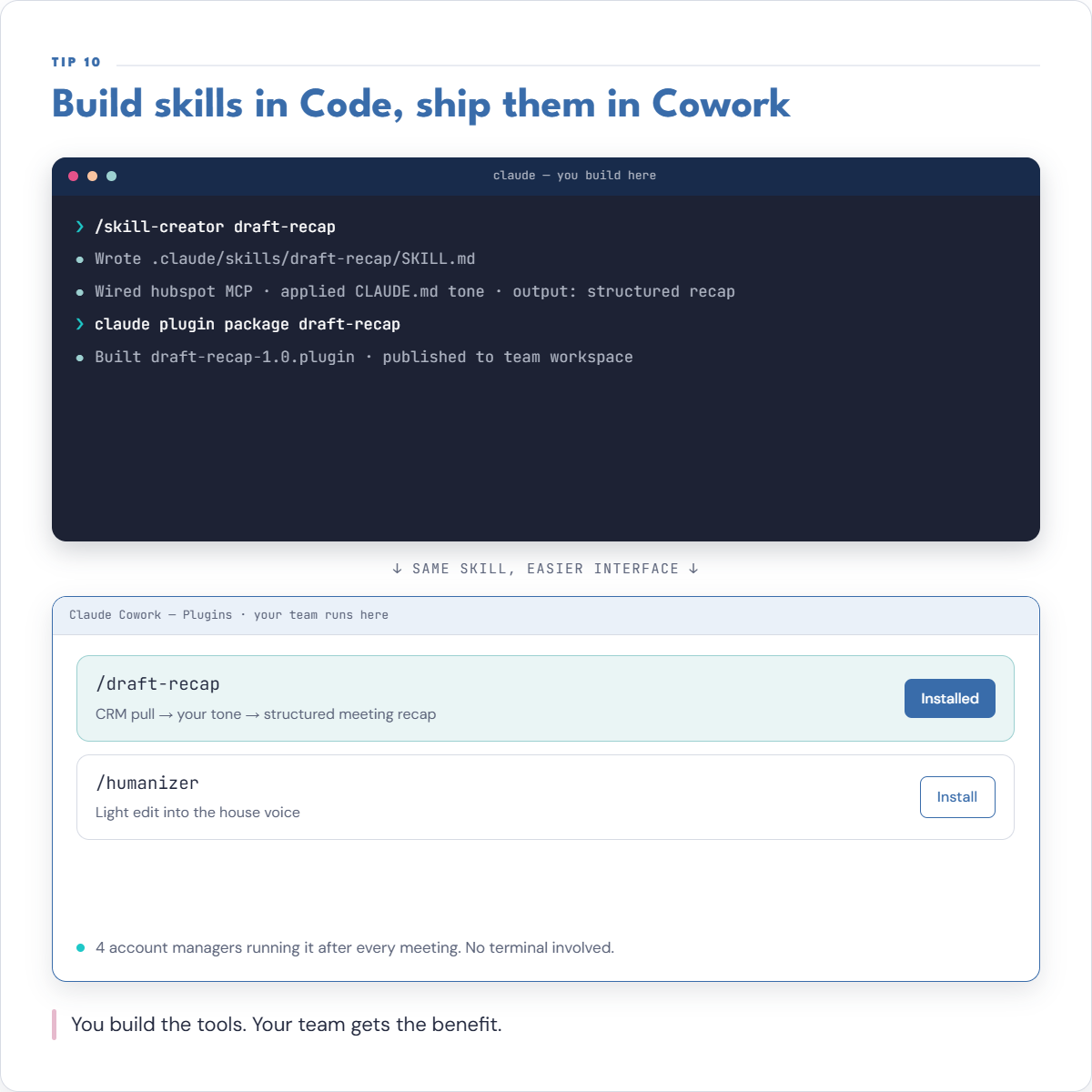
Skills follow an open, interoperable spec, so a skill you write once in Claude Code works the same way as a plugin inside ordinary Claude chat, no separate build for your non-technical teammates. That matters even more right now: Anthropic is folding Cowork into regular Claude chat over the coming weeks (see the companion guide below), but the underlying capability doesn't disappear, it just moves. Build the skill where you have the terminal and the debugging tools, then hand your team the plugin version and let them run it without ever opening a command line.
Quick start
Open a terminal
In your main work folder, run claude.
Ask for a CLAUDE.md
Say: “Read the files in this folder and write a CLAUDE.md that captures the conventions you see. Ask me 3 questions to fill the gaps.”
Answer the questions
Brand voice, output format, and review standards, whatever Claude flags as missing.
Try a real task
“Draft a follow-up email for [recent meeting] using my voice from CLAUDE.md.” Refine CLAUDE.md based on what felt off.
Tips to remember
That single hour of setup pays back every session for a year
Your CLAUDE.md grows smarter every session as Claude builds auto-memory.
Start with 2 sub-agents
Add more only when you find a clear specialization. Most marketing work never needs more than 4.
Use <code>/plan</code> before risky edits or refactors
Have Claude propose the approach and lock it in before it executes. Prevents wasted work.
MCP wiring is non-negotiable for scale
Once your CMS, Notion, and Slack are wired, you stop context-switching. That's where the real leverage happens.
Get the full clickable guide
All 10 tips, the quick-start steps, and the tips checklist in one clickable PDF, ready to keep open while you set up Claude Code.
10 Claude Cowork Tips for Marketers
The desktop-native version of this same agentic engine, for teammates who aren't going near a terminal.
Getting Started with Claude
The non-developer's setup guide, from account to first real workflow.
Claude Cowork vs Claude Code: Same Engine, Two Doors
The full breakdown of when Code is the right call and when Cowork gets the same job done without a terminal.
Who's behind this? Alec Newcomb, Founder of MarketingAlec and ScaledOn, runs Claude Code daily on real client work.
Meet Alec →