
AI Tools · Getting Started
Getting Started with Claude: The Non-Developer's Setup Guide
Set up Claude on web, desktop, and mobile — no technical skills required.
Rather follow along on paper? Grab the PDF version and keep the whole setup checklist next to you while you click.
Download the PDF →Claude has changed a lot in the last few months. Memory on every plan, a new agentic desktop mode, free voice, and a steady stream of interface updates. If you've been meaning to set it up properly, and actually use it for real work, this is the no-jargon guide.
Stop making AI so complicated
Ninety seconds on why setup anxiety is the thing slowing most people down. Worth watching before you open a single settings menu.
Claude at a glance
Three ways in, one account
Web (claude.ai), a native desktop app for Mac and Windows, and mobile apps for iOS and Android. Sign in once. Chats, projects, and memory sync everywhere.
Pricing today
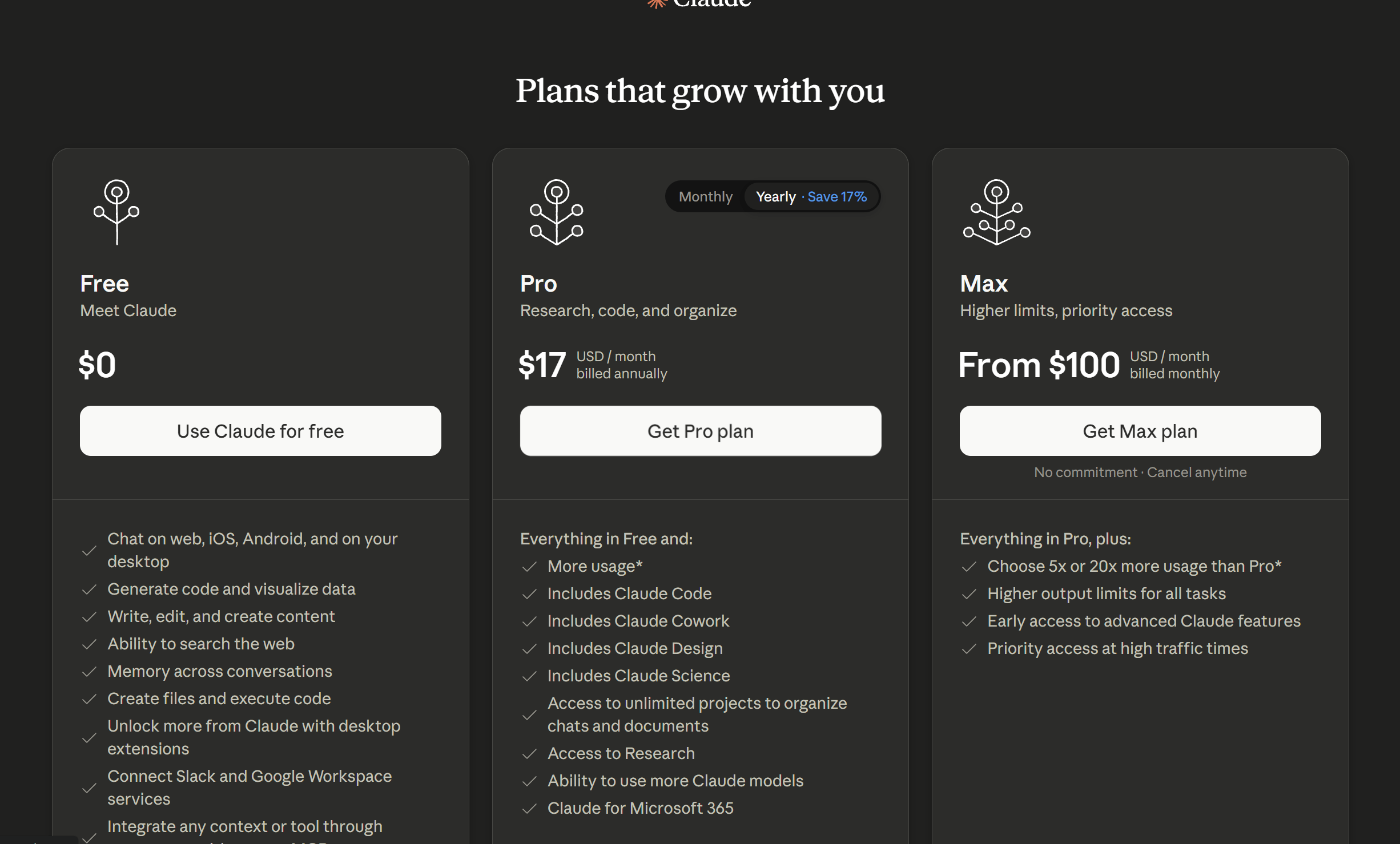
Free $0, Pro $17/mo billed annually ($200 up front) or $20/mo monthly, Max from $100/mo. Plans and prices are subject to change.
What's new and worth knowing
Memory now works on every plan including Free. Claude Cowork, hands-off agentic desktop work, is generally available. Voice mode is free on web and mobile.
Files are generous
500MB per file and up to 20 files per chat. Project knowledge files are 30MB each with no count limit.
For marketers, the one move that matters
One Project per brand or client, loaded with your voice guide and best examples, producing reusable Artifacts.
The 5 best Claude setup guides on the internet
Official Anthropic documentation is the system of record. Several of these were updated within the last week, plus one trusted independent starter for your very first steps.
- Get Started with Claude, Anthropic Help Center. The canonical entry point covering web, desktop, and mobile: what Claude is, the three access paths, age (18+) and region requirements, how the model selector works, and free-plan usage limits. Updated this week. Start here.
- Install Claude Desktop, Anthropic Help Center. The definitive desktop reference: system requirements, the exact install flow, Desktop Extensions (one-click local connectors), and Claude Cowork. Updated April 24, 2026.
- Install Claude for iOS / Android, Anthropic Help Center. Where to download, supported OS versions, why the app might not appear (region or device), and the uninstall and subscription-cancellation caveats. Updated mid-May 2026.
- Release Notes, Anthropic. Not a tutorial, but the authoritative, dated changelog. The fastest way to confirm whether any feature claim is actually current. Entries through early June 2026.
- Claude: A guide to Anthropic's AI models and chatbot, Zapier. The friendliest starting point if you're brand new. In plain language, no jargon: how to sign up, what you can do as a free user, and how the models differ.
Pricing and plans
Claude has one free tier and several paid ones. For an individual non-developer, the real decision is Free vs. Pro. Max and the team plans are for heavy or multi-person use. Here's the full picture, verified against Claude's pricing page on June 8, 2026.
Claude plans, prices, and who each one is for
| Plan | Price | Best for | What you get |
|---|---|---|---|
| Free | $0 | Trying Claude out | Chat on web, iOS, Android and desktop, web search, memory, file creation and code execution, connectors, extended thinking. |
| Pro | $17/mo annual ($200 up front), or $20/mo monthly | Everyday individual use | Everything in Free, plus more usage, Claude Code, Claude Cowork, unlimited Projects, Research, more models, and the Microsoft 365 / Outlook add-ins. |
| Max | From $100/mo (5× or 20× Pro usage) | Power users who keep hitting Pro's limits | Everything in Pro, plus higher output limits, priority access at busy times, and early access to new features. |
| Team | $20/seat/mo annual ($25 monthly); premium seats $100 | Teams of 5 to 150 | Everything, plus central billing, SSO, admin controls, and enterprise search. |
| Enterprise | Custom ($20/seat + usage at API rates) | Large organizations | Team features, plus SCIM, audit logs, advanced security, and a HIPAA-ready option. |
Prices exclude applicable tax and are subject to change at Anthropic's discretion. "More usage" is deliberately not a fixed number of messages, which is exactly why overages matter.
How overages actually work
Claude doesn't bill you by the message. Each plan gives you a usage limit, think of it as a conversation budget that refills on a schedule. What happens when you hit it depends entirely on your plan.
The basics of usage limits
Your limit is affected by how long and complex your chats are, which model you pick, and how hard you ask Claude to "think." A session limit resets roughly every 5 hours, and paid plans also carry weekly limits. One thing power users miss: your activity across claude.ai, the desktop app, and Claude Code all draws from the same limit.
No overages, ever
- When you reach the limit, you simply wait for it to reset.
- Nothing to buy, no surprise charge, no payment method on file.
The Free plan cannot cost you money.
Opt-in "usage credits"
- By default, hitting your limit just pauses you until it resets.
- Turn credits on and extra usage is billed pay-as-you-go at standard API rates, shown separately on your bill.
- Rates vary by model. A routine job on Haiku or Sonnet costs far less than the same job on Opus.
- It's prepaid and capped by you: Settings → Usage, add a payment method, load funds, set a monthly cap, optional auto-reload. There's a $2,000/day ceiling.
Off by default. You choose the ceiling.
Picking the right model
Which model you use is the single biggest lever on how fast you burn through your usage, so match it to the task. You switch between them with the model selector right below the input box.
Which Claude model to use for which job
| Model | Use it for | Cost to your usage |
|---|---|---|
| Opus | Strategy, complex analysis, high-stakes long-form. The heavy lifting. | Highest. Save it for when quality really matters. Push effort to High or XHigh while you're there. |
| Sonnet | Drafting, editing, repurposing. The bulk of day-to-day marketing work. | Moderate. Roughly double Opus's speed and far lighter on usage. Your daily driver. |
| Haiku | Fast rewrites, summaries, reformatting, high-volume jobs. | Lowest. The fastest and cheapest of the three. |
Defaulting to Sonnet, and dropping to Haiku for the simple stuff, stretches your included usage much further before you ever touch credits.
The Marketer's Guide to AI Model Routing
The full decision tree for sending each job to the cheapest model that can still do it well.
Setting up on the web (claude.ai)
This is where most people should start.
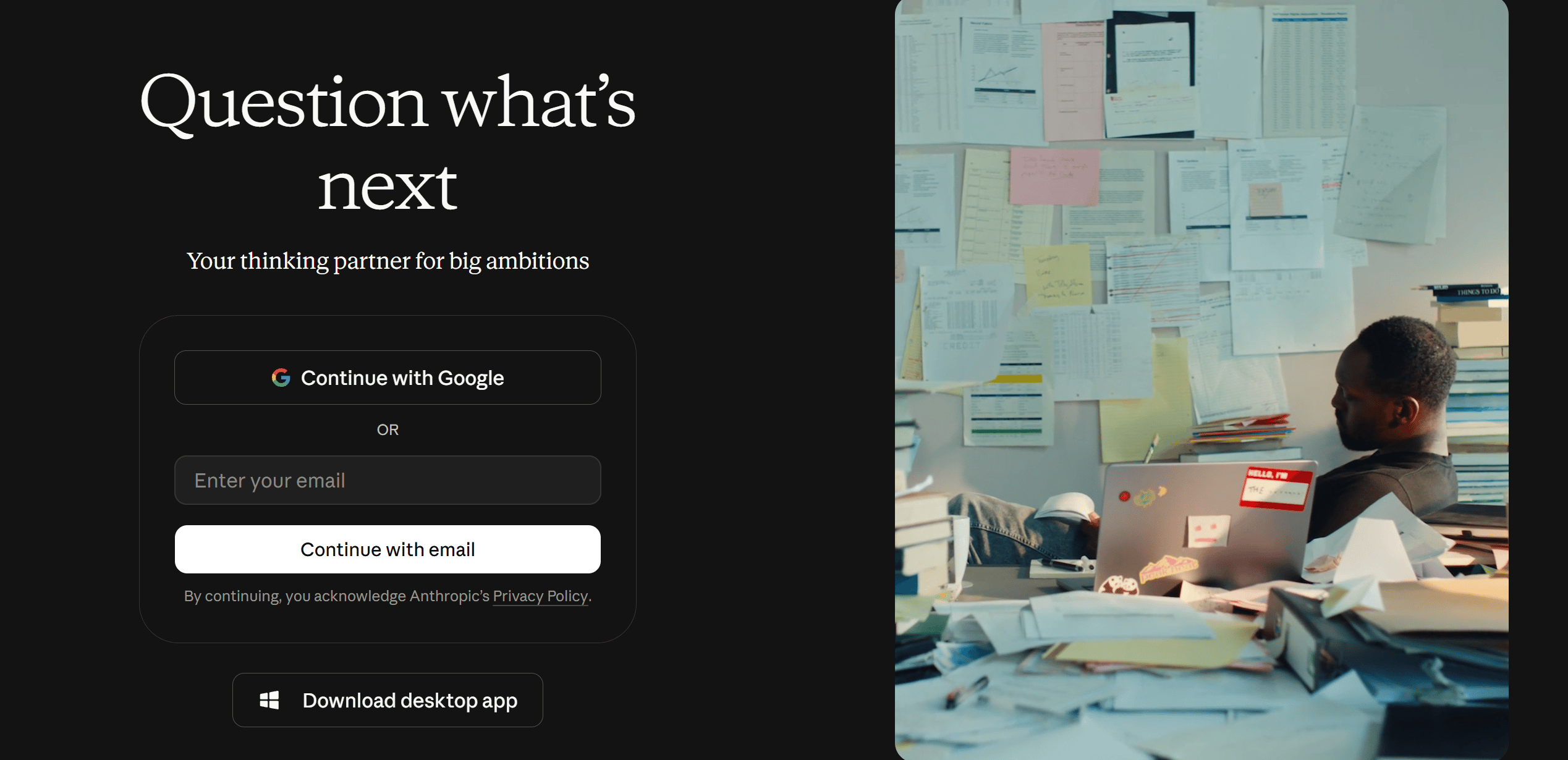
- Create your account. Go to claude.ai and sign up with an email or Google account. You'll need to be 18+ and in a supported region. That same login works on every device.
- Pick a plan. The Free plan does real work, so start there. You can always upgrade once you hit its limits.
- Learn the interface. Type into the box and hit send. The model you're talking to is shown right below the input box; click it to switch models or adjust how hard Claude thinks. The "+" button or typing "/" opens more options.
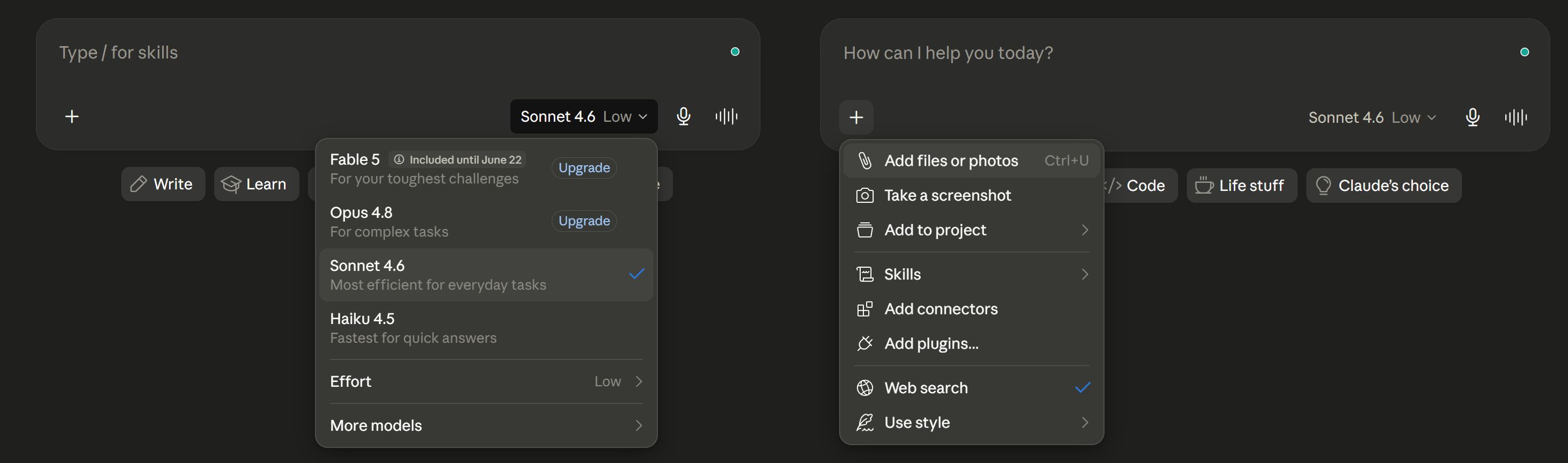
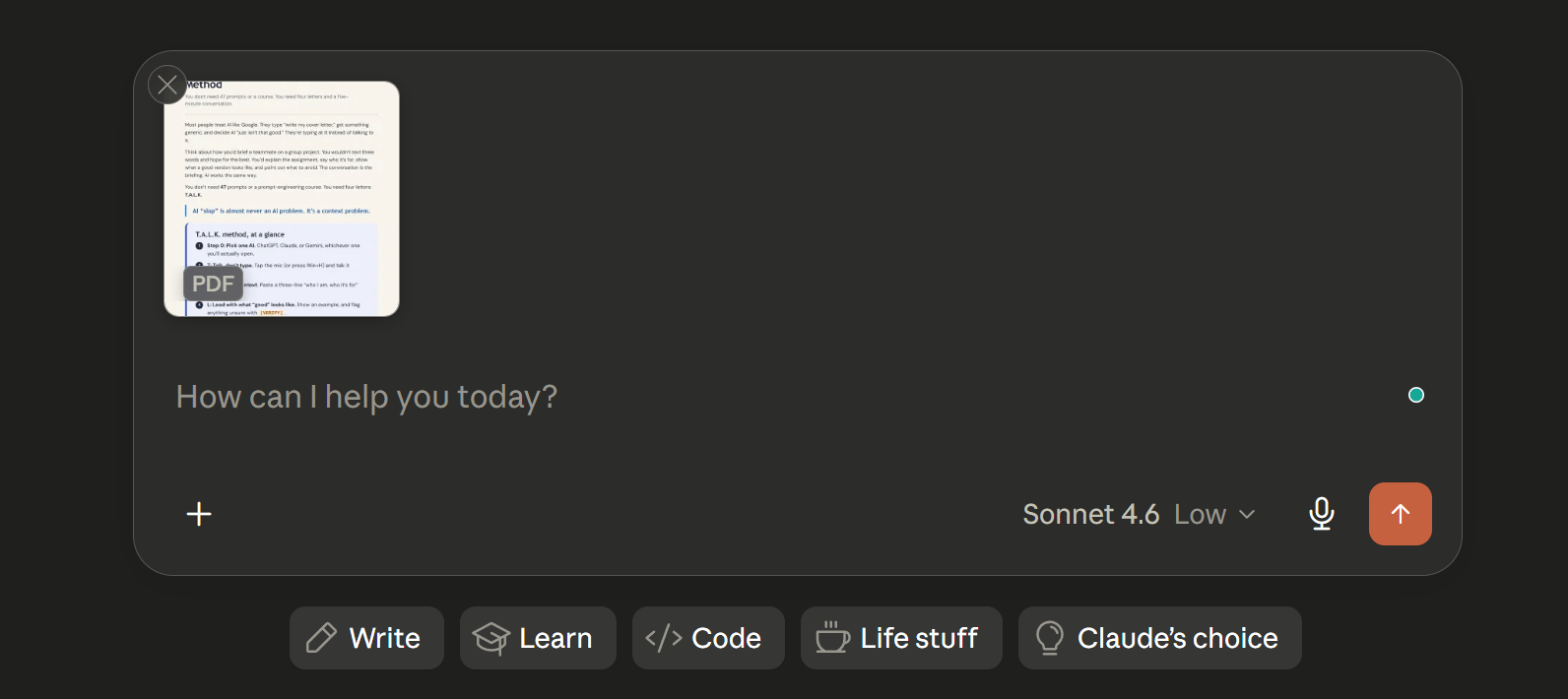
- Upload files. Click "+" → "Add files or photos," or drag and drop. Up to 500MB per file and 20 files per chat: PDFs, Word docs, spreadsheets, images. PDFs under 100 pages are read for both text and visuals.
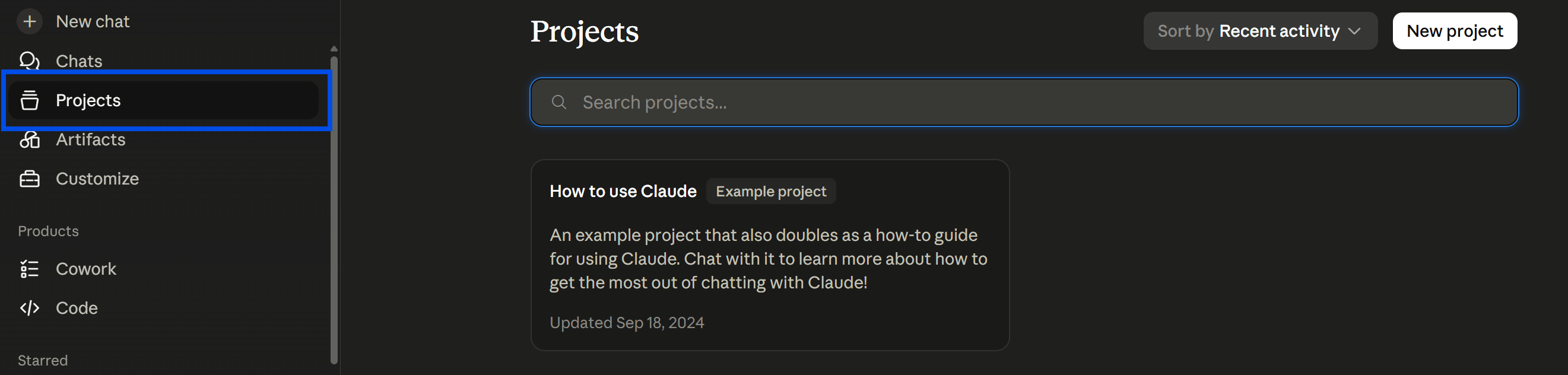
- Set up Projects. In the left rail, open Projects → "New Project." Drop reference material into the project knowledge base and use "Set project instructions" to give Claude persistent rules. Free users get up to 5 projects; paid plans are unlimited.
New Claude features land almost weekly. We test what changed and tell you what's worth your attention, twice a week.
Get the updates →Setting up on desktop (Mac and Windows)
The desktop app is worth installing once you're using Claude daily.
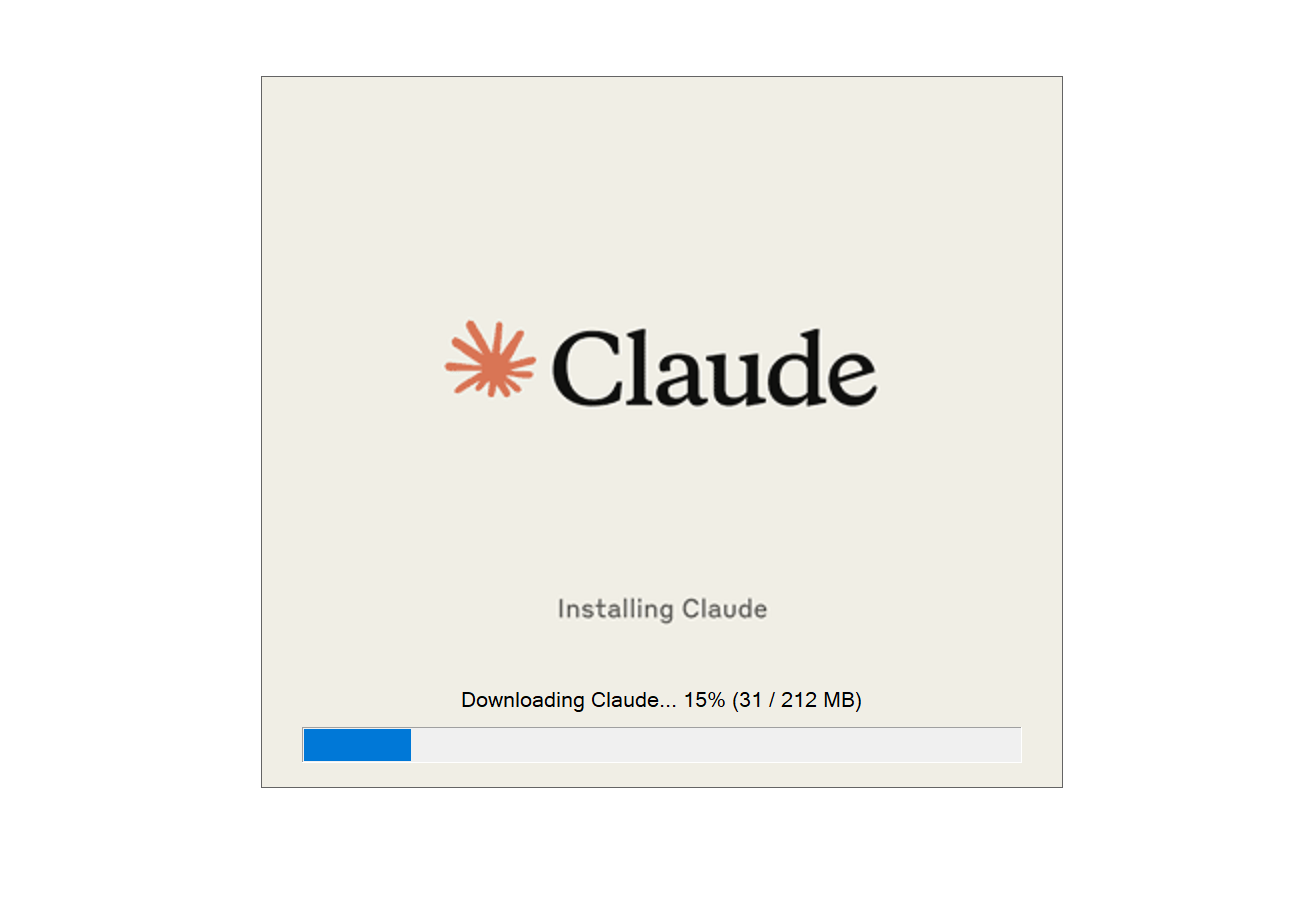
- Download it. Go to claude.ai/download. It runs on macOS 11+ and Windows 10+ (no Linux build). Open the installer, launch the app, sign in. The free plan works fine in the app.
- Know what it adds over the browser. It lives in your dock or taskbar with an instant-access shortcut from anywhere on your computer. Through Desktop Extensions (Settings → Extensions) it connects to your local files, calendar, and apps with one click.
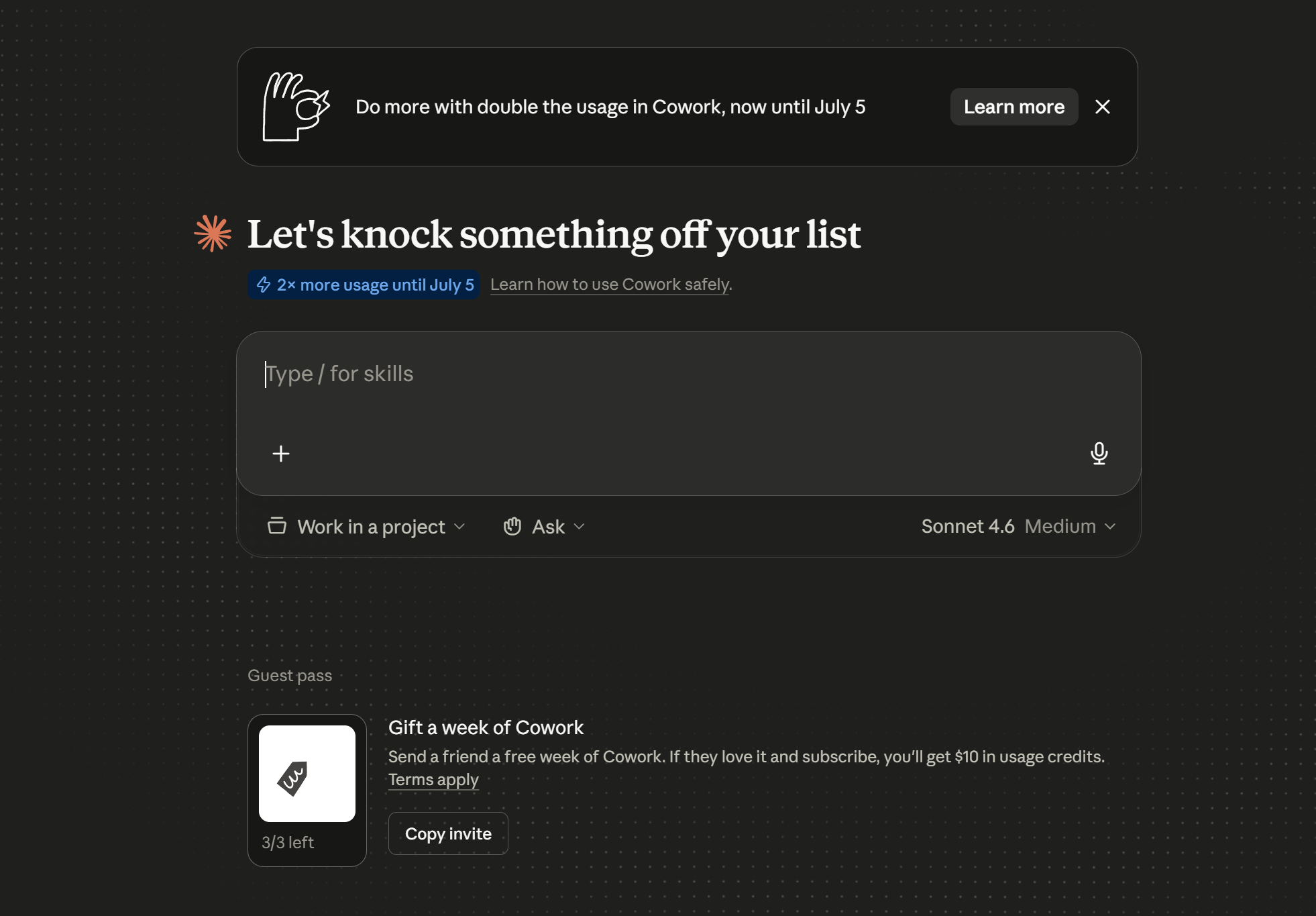
- Open the agentic layer. The desktop app is your door to Claude doing hands-off, multi-step work: synthesizing research, organizing files, building a spreadsheet or deck from messy inputs.
Two doors to the same engine
Cowork
- No terminal, click to install skills
- Right entry point for most marketers
- Included on Free
- Only runs while your computer is awake and the app is open
Claude Code
- Reusable skills you build once
- Scheduled jobs that fire with your laptop closed
- The governance real client work demands
- Asks more of you to get started
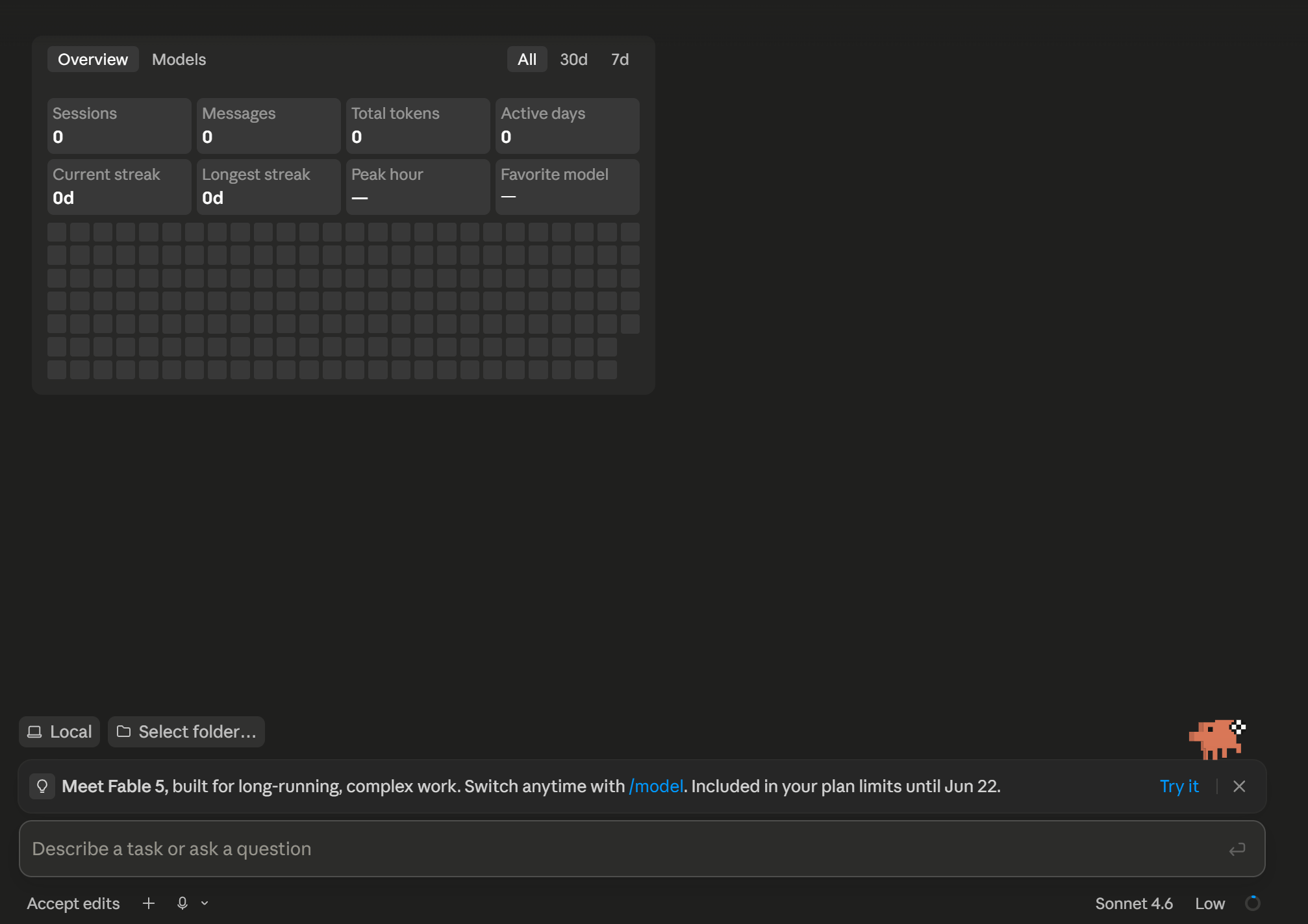
Claude Code is the one we build on at MarketingAlec. That's where the leverage compounds. Which door fits you? We break it all the way down in Cowork vs. Code: Same Engine, Two Doors.
Setting up on mobile (iOS and Android)
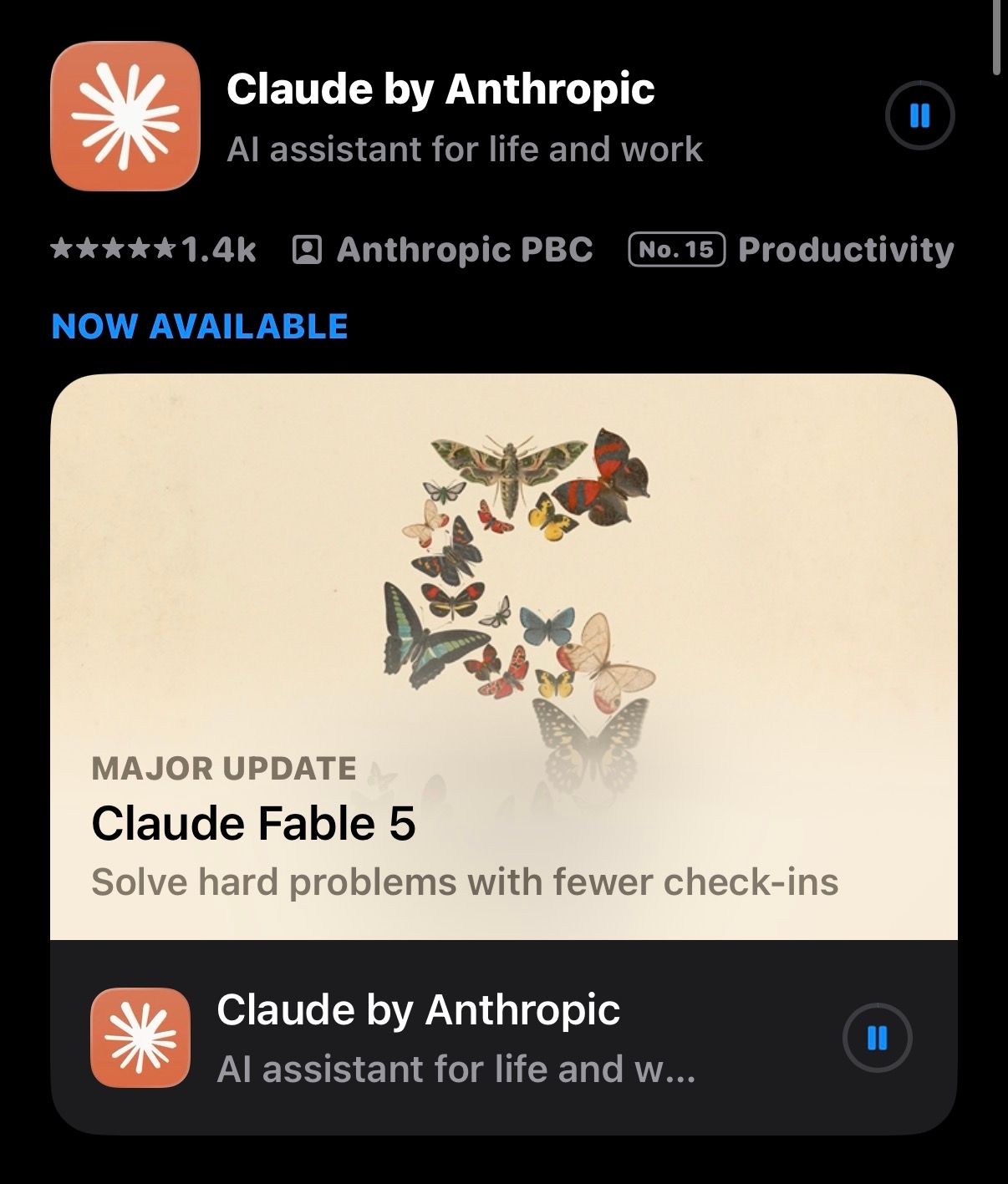
- Install the app. Search "Claude by Anthropic" in the App Store or Google Play and install it (free). iOS needs 17.0 or later. Sign in to sync everything.
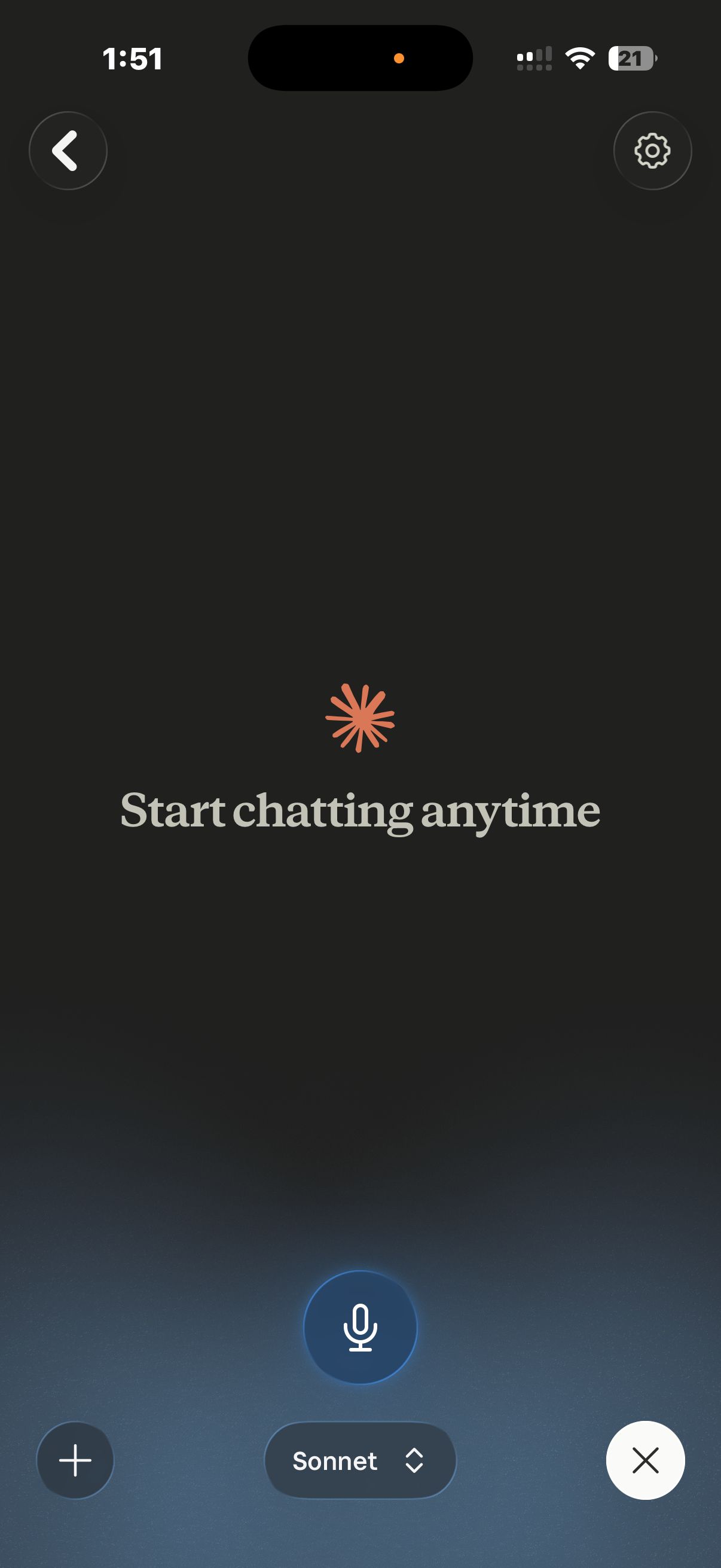
- Use your voice. Open a chat, tap the sound-wave icon next to the microphone, pick a voice, and start talking. There's a hands-free mode and a push-to-talk mode for noisy places. Switch between voice and text mid-conversation; transcripts are saved.
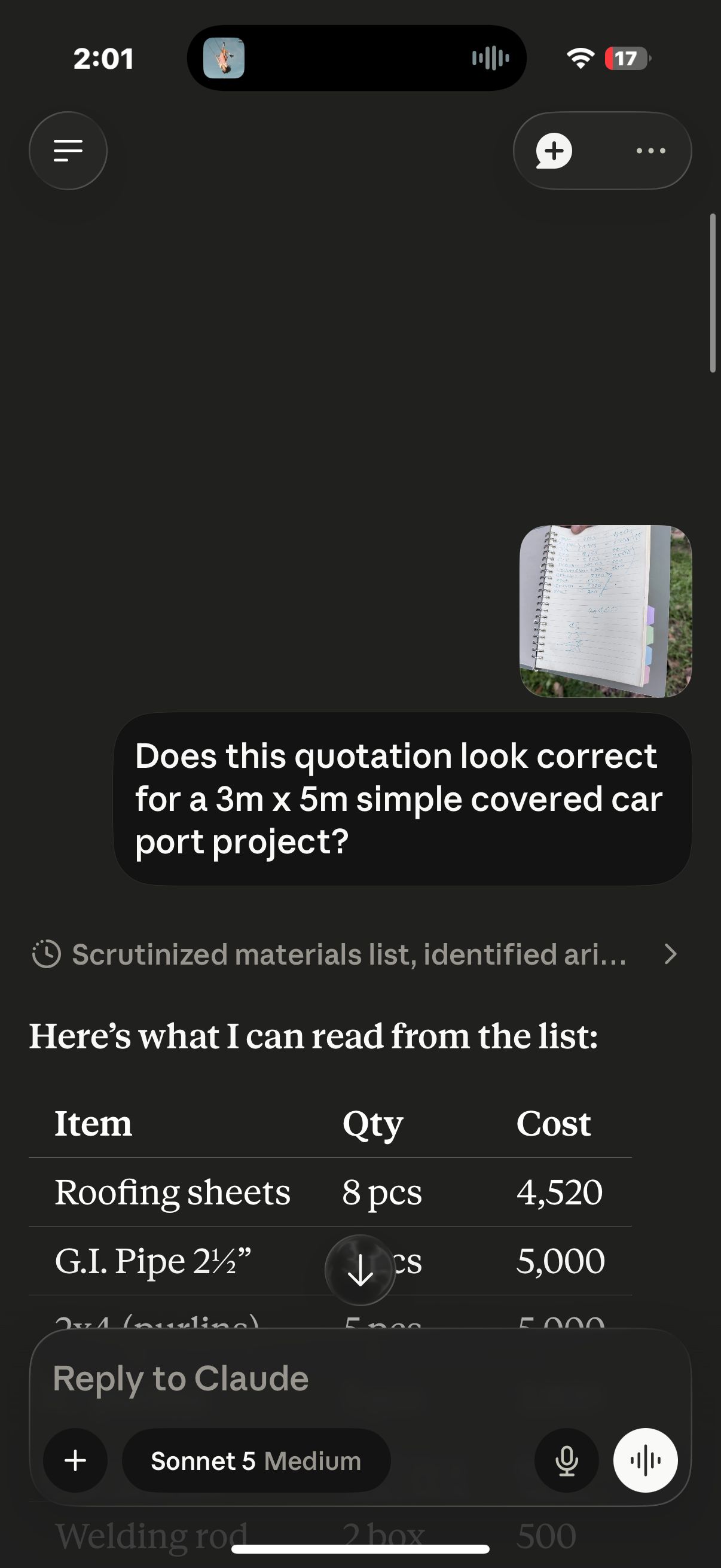
- Use the camera. Snap a photo or pull one from your gallery: a menu, a whiteboard, a competitor's ad, a receipt, and ask Claude about it.
- Connect your phone's apps. Claude can help draft Messages and Mail, find places in Maps, and create Calendar events and Reminders on iOS.
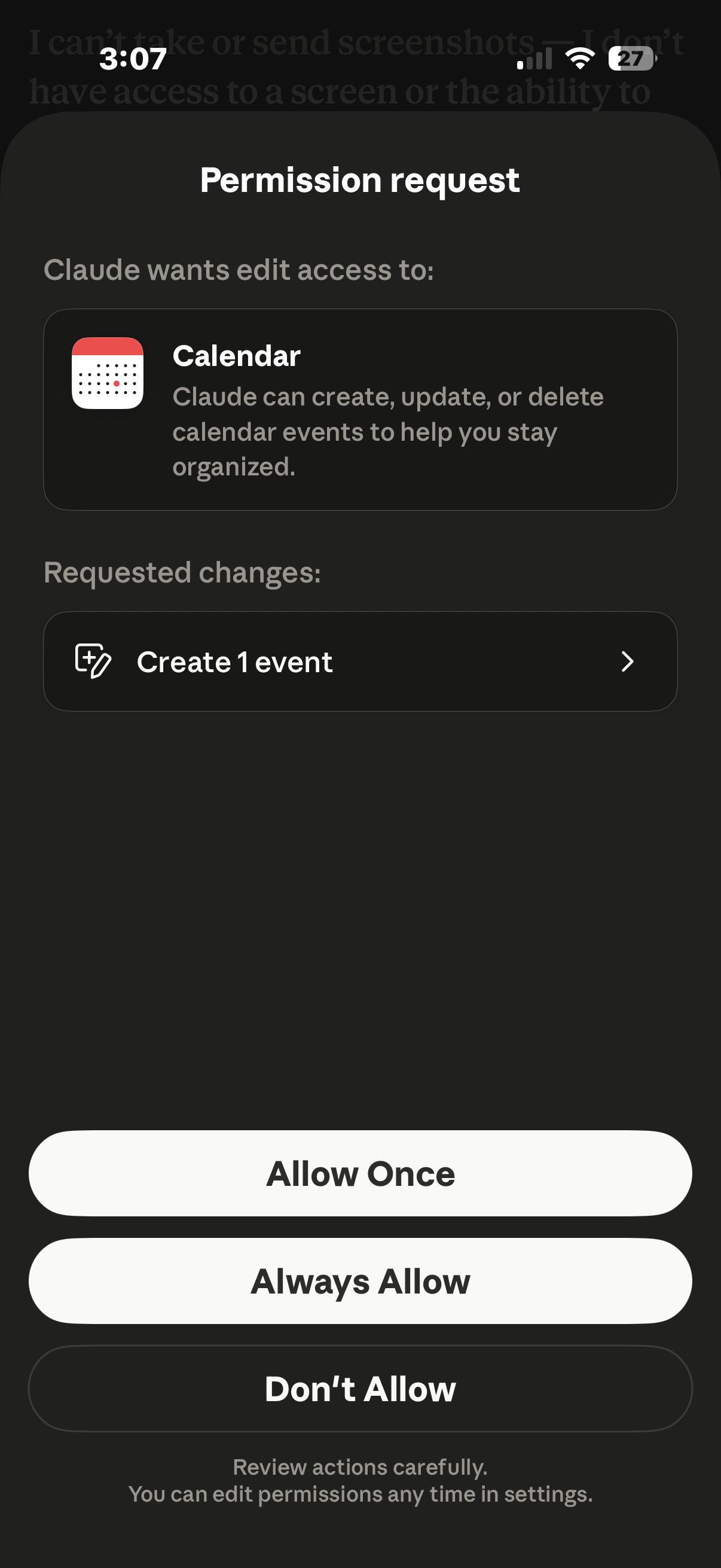
- Know the limits. Cowork runs only on the desktop app; your phone can assign a task to your desktop but can't run Cowork itself. Local file access and a few iOS integrations are narrower, and voice mode drains the battery faster.
The setup step everyone skips: learn to talk to it
Installing Claude is the easy part. What actually decides whether you get generic AI slop or something genuinely useful isn't a setting. It's how you talk to it. Most people type three words at Claude like it's a search box and conclude AI "just isn't that good." The people who get great results brief it like a teammate.
That's the whole idea behind our T.A.L.K. Method: four letters, no prompt-engineering course required.
Talk, don't type
Use the voice mode you set up on mobile and talk the task through, the way you'd brief a colleague.
Add your context
Tell Claude who you are, who it's for, and your rules: "COO at a B2B SaaS, writing for a recruiter skimming 200 applications, no buzzwords, keep it to one page."
Lead with what "good" looks like
Paste an example to match, name the real outcome, and add "mark anything you're not sure about with [VERIFY]."
Keep what works
Save the instructions, not just the answer, which is exactly what Projects are for. Set one up once and it loads every time.
Bonus tips for marketers
- One Project per brand or client. Load it with your style guide, tone rules, banned words, brand colors, fonts, and three to five of your best examples, then write project instructions for how Claude should write. Every chat inherits it, no re-pasting your brief.
- Treat Artifacts as reusable assets. Have Claude build drafts, comparison tables, content calendars, or simple interactive tools as Artifacts you can edit in place and embed.
- Repurpose in one pass. Claude creates and edits Word docs, spreadsheets, slide decks, and PDFs directly. Turn one long-form piece into a deck outline, a spreadsheet of social hooks, and a one-pager in a single thread.
- Feed it real material. Drop in competitor PDFs, brand decks, or a CSV of survey data and ask for positioning analysis, message extraction, or audience insights.
- Use it for competitive and creative review. Paste a competitor's ad screenshot or a landing-page grab and ask Claude to critique the hook, hierarchy, and call to action, or to reverse-engineer the messaging framework.
- Turn on web research and connectors. Enable web search and Research for cited market scans, and wire up Google Drive or Slack so Claude pulls from your real documents instead of guessing.
- Let memory carry your context. Memory means Claude remembers your brand and ongoing campaigns across chats. Use Incognito chats for confidential client work you don't want retained.
- Delegate the busywork to Cowork. Point it at a connected folder and have it batch-rename assets, assemble a formatted report, or compile research overnight.
- Save your winning prompts. Keep a prompt-library doc inside each Project so your best brief patterns are one click away.
- Brief Claude like a teammate, not a search box. Audience, task, must/avoid constraints, an example to match. It beats one-line asks every time.
- Learn the slash commands. Type
/to see the menu,/model,/compact, and/plansave more time than most people expect. See the full command list.
Claude vs. ChatGPT for marketing work
Where each one actually wins, task by task, and why plenty of marketers end up paying for both.
Try it in five minutes
You don't need to read this twice. Open Claude and do these five things.
Sign in
Go to claude.ai or grab the app and create a free account. One login works everywhere.
Start talking
Type a real task into the box, or tap the mic and say it out loud, the way you'd brief a teammate.
Set up one Project
Drop in your brand voice, a few rules, and two or three examples of work you're proud of.
Brief it like a person
Who you are, who it's for, what "good" looks like, and add "mark anything you're unsure about with [VERIFY]."
Keep what works
Save the instructions, not just the answer. Next time, you start ahead.
That's the whole setup. Five minutes, no course required.
Claude Code just changed how I work forever
You've got the account, the app, and a Project. This is what the agentic layer looks like once it's doing real work on a real client: the honest version, including the parts that broke.
Go deeper
10 Claude Code Tips for Marketers
Ten ways to put the desktop layer you just installed to work on real client jobs.
A Beginner's Guide to AI Agents for Marketers
Four starting points for handing whole jobs to AI, ranked by what they cost to run.
Claude in Excel: The $80/Month Feature That's Now $20
What the Excel add-in does well on a marketer's spreadsheets, and the governance gap nobody mentions.
Frequently asked questions
Is Claude free to use?
Do I need to be technical to set up Claude?
How much does Claude Pro cost?
How do Claude's usage limits work?
What are usage credits, and do I need them?
Which Claude model should I use?
What's the difference between Claude Cowork and Claude Code?
AI helps you speed up. That's the easy part. The part that actually matters: don't settle for someone else's setup. The default Claude is a starting line, not a finish line. Keep tweaking yours, your voice, your examples, your rules, your Projects, until it stops feeling like a tool and starts feeling like a partner who knows how you work.
Alec
Who's behind this? Alec Newcomb, Founder of MarketingAlec and ScaledOn, rebuilds this setup guide every time Claude ships something worth knowing.
Meet Alec →