
AI Tools · Getting Started
The Marketer's Guide to ChatGPT Work
What ChatGPT Work actually is, how it differs from Chat and Codex, what it costs, and how to put it to work on real marketing tasks.
OpenAI didn't just update ChatGPT this summer. It split it into three modes. If you've opened ChatGPT recently and noticed a new toggle at the top of the screen, this guide is for you. Here's what ChatGPT Work is, how it's different from the chat window you already know, and how to actually put it to work on marketing tasks instead of one-line prompts.
GPT-5.6 Sol, Terra, or Luna? Here's What to Use
The model-tier names you'll see all over the pricing table below, in 30 seconds.
ChatGPT Work at a glance
Three modes, one app
Chat for quick questions, Work for multi-step projects, Codex for code. All three live inside the same ChatGPT interface.
It launched July 9, 2026
Powered by GPT-5.6, rolling out first to Pro, Enterprise, and Edu accounts, with Plus and Business close behind.
It ships finished work, not answers
It builds documents, spreadsheets, decks, reports, even simple web pages, by taking action across your connected apps and files.
Usage is metered by effort, not messages
A quick question costs little. A multi-hour research-and-build project draws down a lot more of your plan's usage.
For marketers, the move is delegation
Hand it a goal-sized brief, not a one-line prompt, and let it run instead of babysitting every step. It's the same shift we mapped out in what is your AI delegation layer?
The 5 best resources on ChatGPT Work
OpenAI's own documentation is the system of record here, since this shipped recently and the details are still settling. We've added two independent, hands-on takes for the parts OpenAI's docs don't cover: what it actually feels like to use.
- ChatGPT is now a partner for your most ambitious work, OpenAI. The official launch announcement: what Work is, the rollout schedule by plan, and named use cases across sales, marketing, finance, ops, and engineering. Start here.
- ChatGPT Work and Codex, OpenAI Help Center. The clearest side-by-side of what Chat, Work, and Codex are each built for, including platform availability and how usage is metered.
- Pricing, OpenAI. The live, official pricing page for every plan. The fastest way to confirm current numbers, since OpenAI updates plans often.
- I gave ChatGPT's new Work mode my most annoying life-admin tasks, and it handled them like a pro, TechRadar. A hands-on outsider's test of Work across five real projects, with an honest note on where it still needs a nudge.
- How to use ChatGPT: A beginner's guide to getting started, Zapier. The friendliest starting point if you or someone on your team hasn't touched ChatGPT's newer modes yet.
What is ChatGPT Work?
ChatGPT Work is OpenAI's agentic mode for longer, multi-step projects. Where the ChatGPT you already know is built to answer a question, Work is built to finish a job: it can take action across your connected apps and files, stay on a project for hours if needed, and turn a goal into completed work.
In practice, that means research, cross-referencing information across multiple sources, and producing an actual deliverable at the end (a document, a spreadsheet, a slide deck, a report, a simple website) instead of a paragraph of suggestions you still have to go build yourself. You turn it on from a toggle at the top of the ChatGPT interface, connect the apps it needs (Gmail, your calendar, Drive, spreadsheets), and give it a brief the way you'd brief a new hire.
Chat vs. Work vs. Codex
All three now live in the same ChatGPT app, which is exactly why people mix them up. Here's the actual division of labor.
Chat
- Quick questions, brainstorming, one-off drafts
- Conversational, back-and-forth
- Web, mobile, desktop, on every plan
Fast answers, not finished projects.
Work
- Multi-step projects across connected apps and files
- Finished deliverables: docs, sheets, decks, reports, sites
- Runs for hours; supports scheduled and triggered tasks
A goal-sized brief, handed off.
Codex
- Code: writing, debugging, tests, repo work
- Desktop app only, separate history from Chat and Work
If it touches code, it's Codex's job.

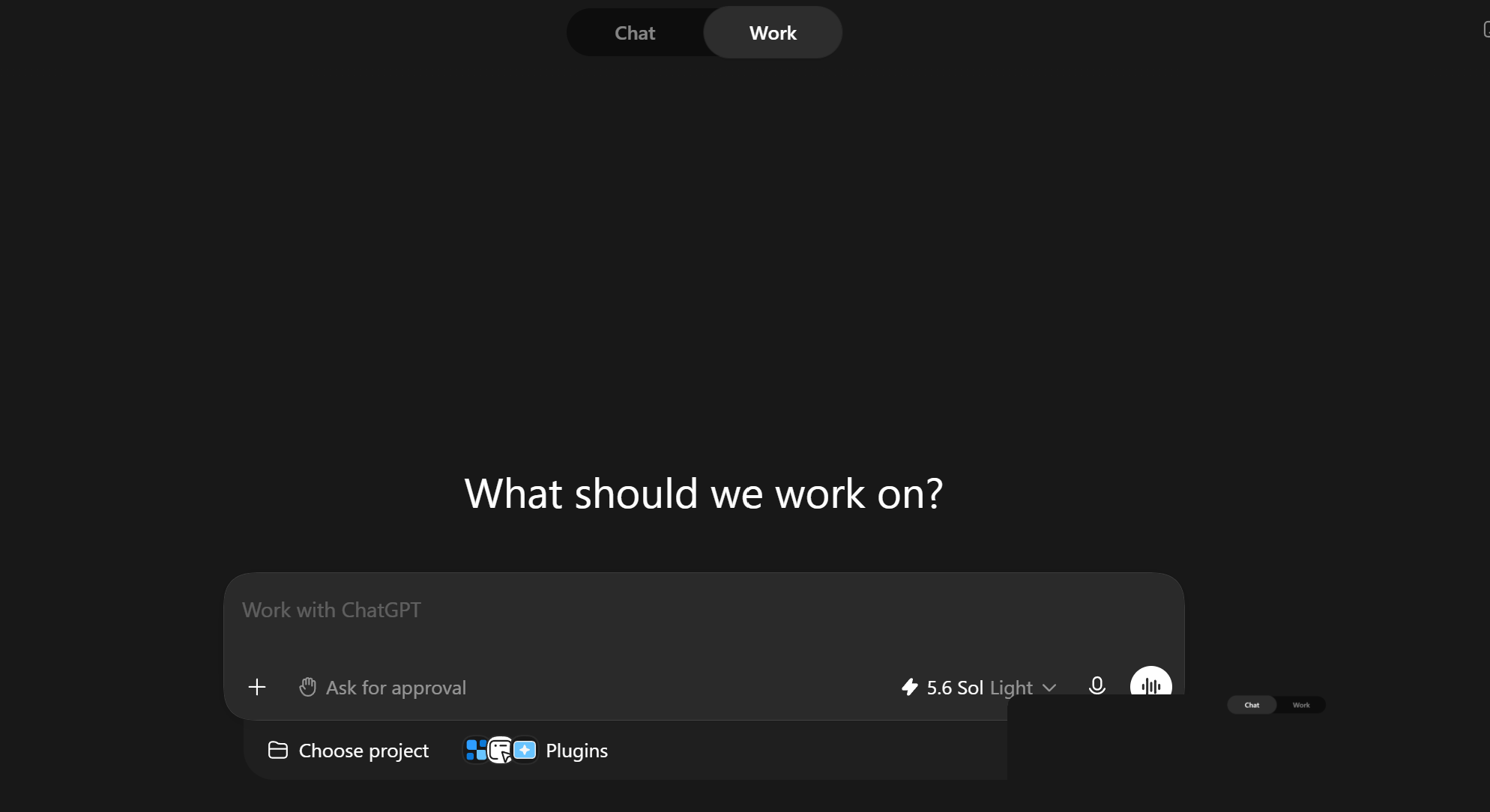
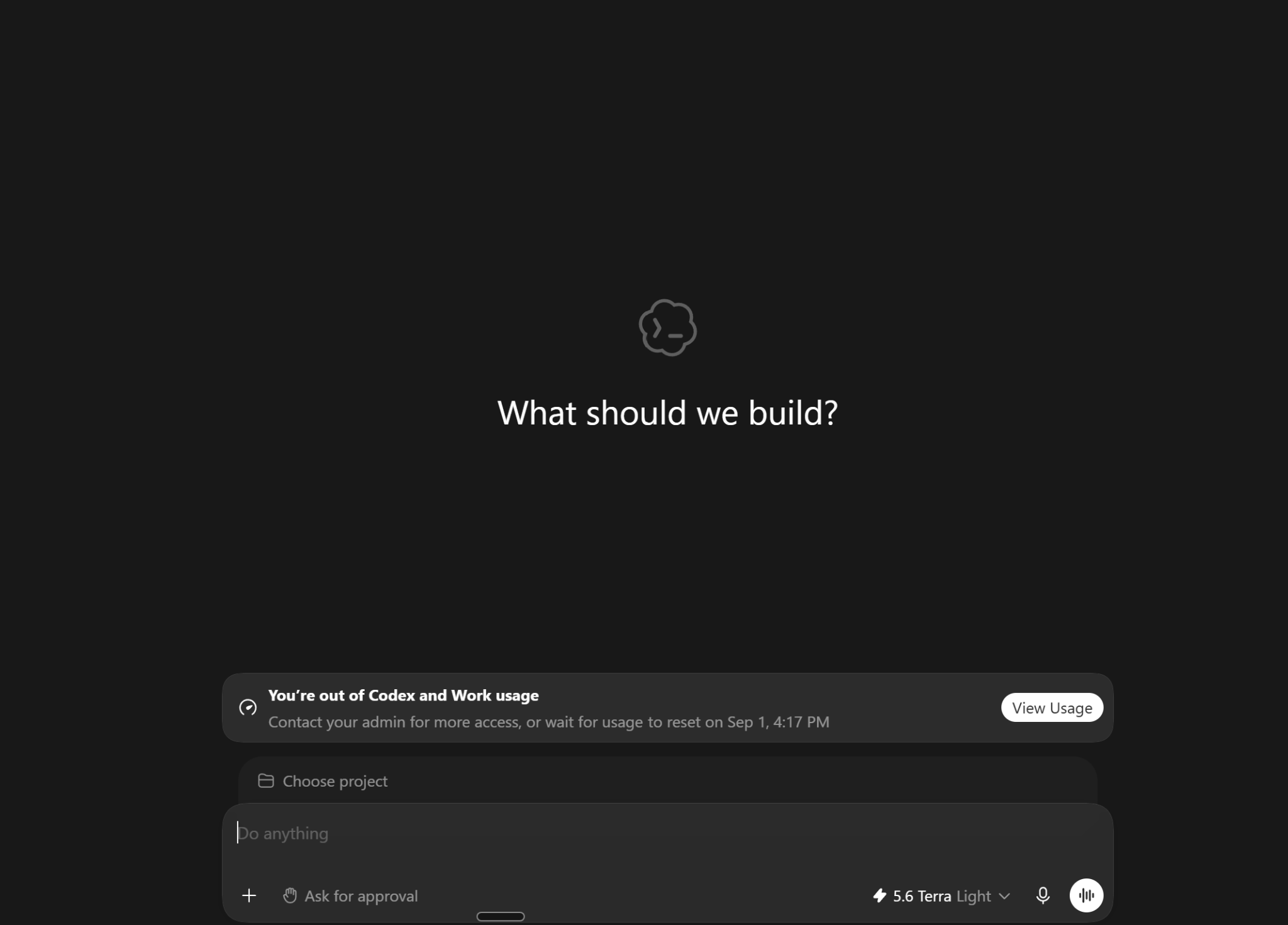
For most marketing work, that puts you between the first two: quick copy tweaks and brainstorming stay in Chat, while a real campaign brief, a competitor scan, or a monthly report is a Work job. Codex only enters the picture if the project touches your actual landing-page code.
Three Ways Codex Can Use a Computer
The practical breakdown of when a task has crossed the line from Work into Codex territory.
New ChatGPT features land almost weekly. We test what changed and tell you what's worth your attention, twice a week.
Get the updates →Pricing and access
Work doesn't carry its own separate fee. It's bundled into the plan you're already on, and it draws down your plan's usage based on how much work a task actually takes. Here's the full lineup, verified against OpenAI's own pricing page and help center in August 2026.
ChatGPT plans, prices, and who each one is for
| Plan | Price | Best for | What you get |
|---|---|---|---|
| Free | $0 | Trying it out | Unlimited text chat (with ads in the US), limited uploads/images/voice. Chat, Work, and Codex are all reachable on desktop. |
| Go | $8/mo | Casual, heavier day-to-day use | 10× the messages, uploads, and image generation of Free, plus extended memory. Agent-mode features like Work aren't confirmed on Go at launch, so check your account before assuming your team has it. |
| Plus | $20/mo | Everyday individual marketer | GPT-5.6 Sol, roughly 160 messages per 3 hours, Deep Research, Work, and image/voice tools. |
| Pro | $100/mo (5× Plus usage) or $200/mo (20× usage) | Power users running Work daily | GPT-5.6 Sol Pro, unlimited faster image generation, priority compute, and roughly 250 Deep Research tasks a month at the top tier. |
| Business | $20/seat/mo annual ($25/mo monthly), 2-seat minimum | Marketing teams of 2+ | Work, Codex, and Deep Research, plus connectors for Microsoft 365, Google Drive, Slack, GitHub, Linear, and Figma, SSO/MFA, and a no-training-on-your-data guarantee. |
| Enterprise | Custom, annual billing | Large organizations and agencies | Everything in Business, plus SCIM, data residency across 10 regions, IP allowlisting, a larger context window, and 24/7 support with SLAs. |
Prices exclude applicable tax and are subject to change at OpenAI's discretion. "Usage" isn't a fixed message count: a sprawling research-and-build task uses more of it than a quick chat, which is exactly why it's worth matching the plan to how much Work-mode work you actually plan to run. Not sure what "Sol" versus "Terra" versus "Luna" means for output quality? We broke down OpenAI's model-tier naming in Sol, Terra, Luna: which one?
How to actually use it
Turning Work on is the easy part. Getting a result worth keeping depends on how you brief it. Treat it like handing a project to a new hire, not like typing a search query.
Turn it on
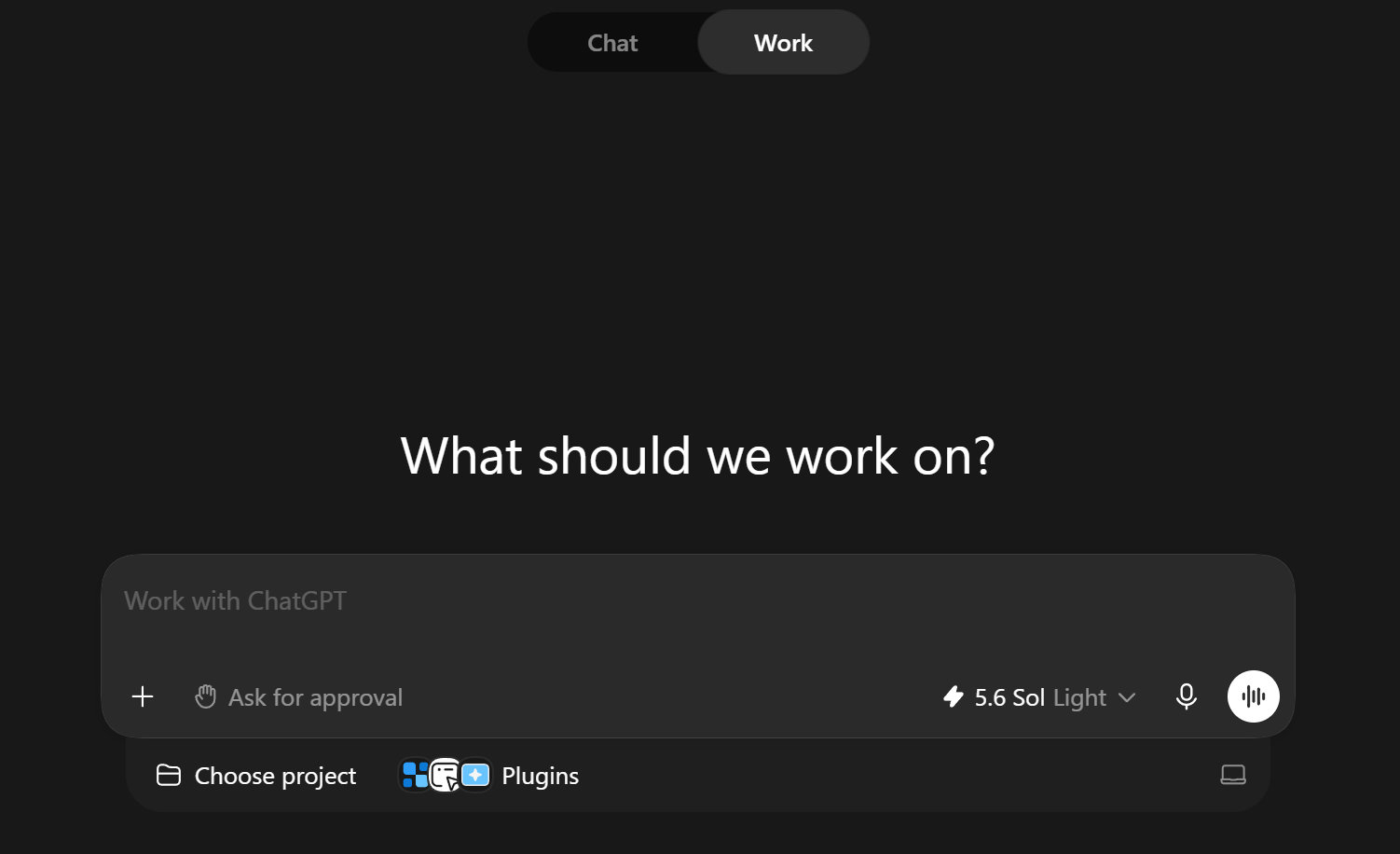
Flip the Work toggle at the top of the ChatGPT interface on web, desktop, or mobile, on an eligible plan.
Connect what it needs
Link Gmail, your calendar, Drive, spreadsheets, or Slack, with permission, so Work pulls real context instead of guessing. You can go to Settings → Plugins to see every app you can connect to ChatGPT.
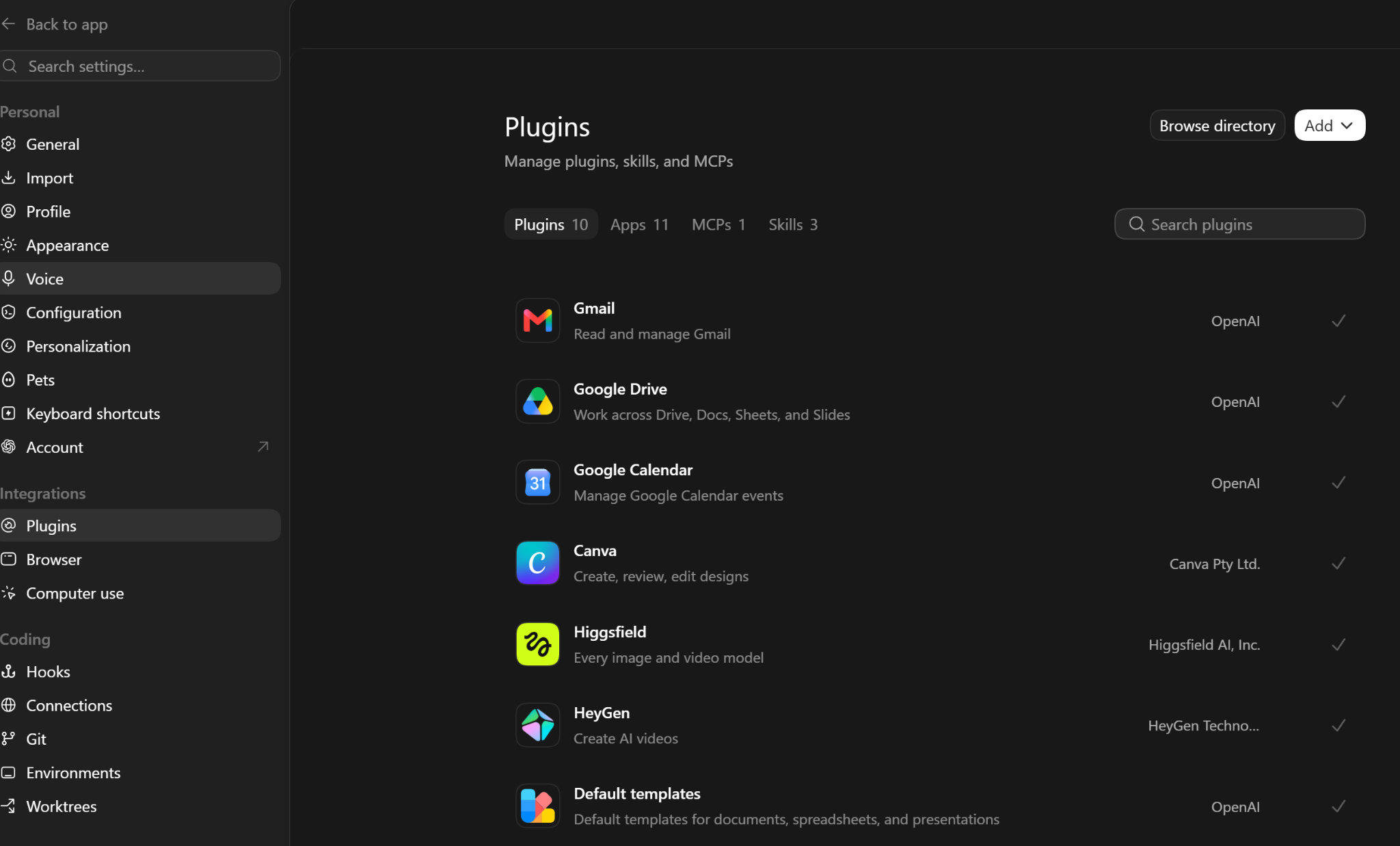
Brief it like a finished project, not a prompt
Give it a goal, the inputs, constraints, and what "done" looks like. If you can, talk it through first: the T.A.L.K. Method is a simple way to turn a voice note into a real brief. Then be specific: "Turn this week's customer interview notes into a campaign brief, pull the top 3 objections, and draft ad copy answering each one."
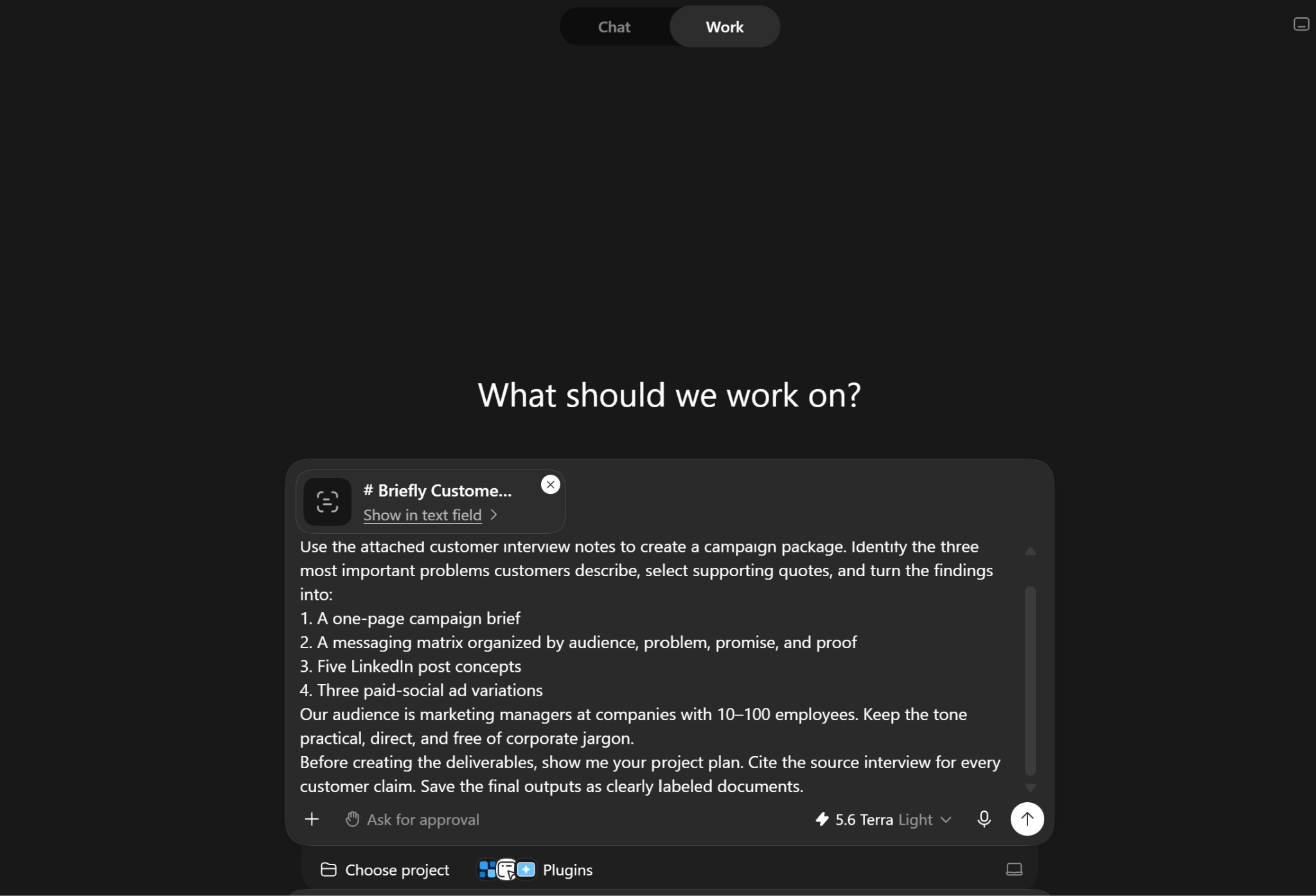
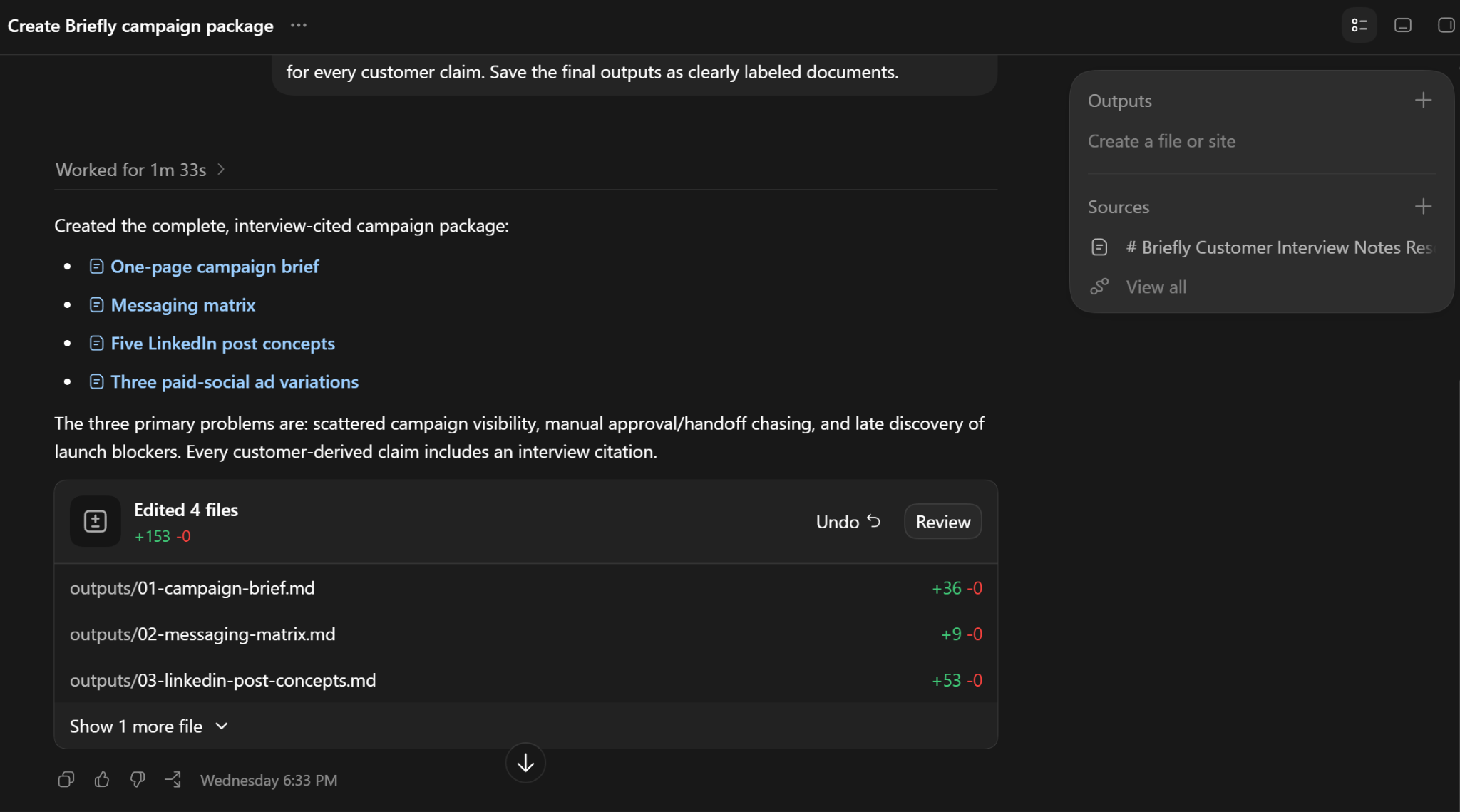
Let it run
Work can stay on a project for hours. Check in on its process and sources rather than watching every step.
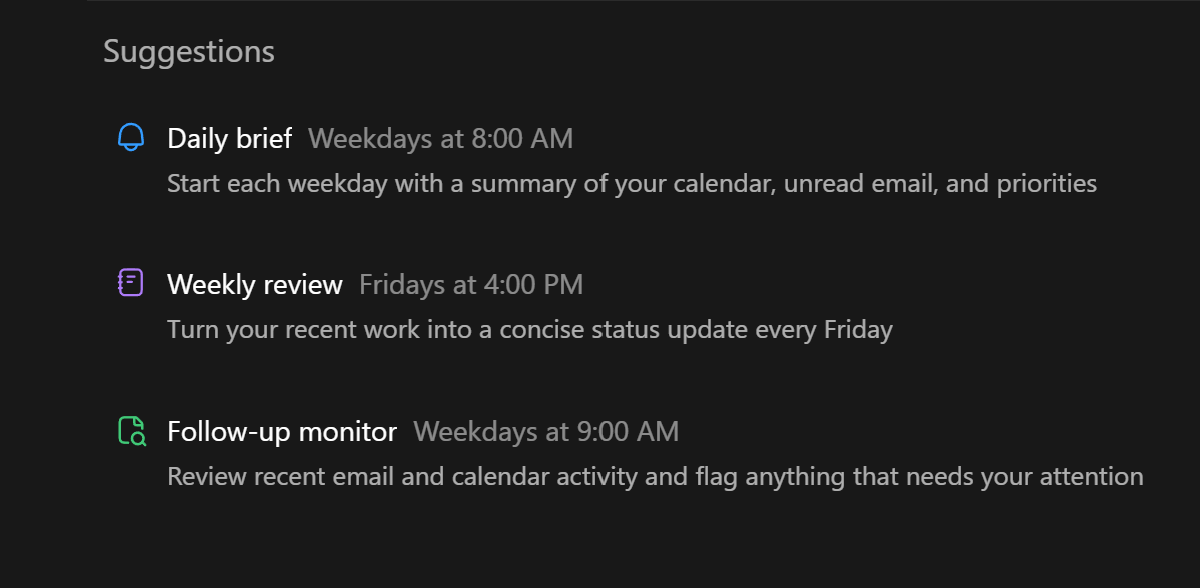
Put recurring work on a schedule
Set scheduled or event-triggered tasks so Work monitors a shared drive or inbox and updates a report on its own.
Review before anything ships
Output is only as good as the input you gave it. Run a brand-voice and fact check before anything customer-facing goes out.
Know when to hand off to Codex
If the task turns into writing or debugging actual code (your landing page, a tracking script), that's Codex's job, not Work's.
Marketing use cases worth stealing
These come straight from OpenAI's own launch examples, not a hypothetical:
- Campaign briefs from raw research. Turn customer research into a campaign brief, then produce assets adapted for different markets.
- Lead review, automated. Have Work review and summarize leads across your CRM, email, and other connected tools.
- Feedback synthesis on a schedule. Set up scheduled monitoring that turns incoming customer feedback into a prioritized list of ideas, without you re-prompting it every time.
Bonus tips for marketers
- Brief it like you would a new hire. Audience, inputs, constraints, and what "good" looks like. Every time.
- Start with one recurring report. Pick your weekly or monthly one and hand it to Work first; it's the easiest place to see the time you get back.
- Wire up your CRM and shared drive. Work's usefulness scales directly with what it's actually connected to.
- Split by mode, not habit. Chat for a quick draft, Work for the multi-step brief with a real deliverable, Codex for anything that touches actual code.
- Watch the usage meter. Work draws down usage by effort, not message count, so a sprawling research task can burn through your plan faster than a quick chat would.
- Keep a human review step non-negotiable. Especially on anything that reaches a customer or prospect.
- Use scheduled tasks for what you'd otherwise forget. Competitor monitoring, feedback synthesis, a weekly digest that builds itself.
- Loop your team in on Business. The shared workspace, connectors, and admin controls are built for exactly this kind of handoff.
- Learn the slash commands.
/statusand/projectsave more back-and-forth than most people expect. See the full command list.
🐾 Tiny bonus: ChatGPT Has a Pet
There’s also a much less serious feature hiding in the desktop experience: a little animated pet can follow what your agent is doing. It works as a lightweight status indicator while Work or Codex runs, so you can see whether your agent is working, waiting for you, finished, or needs attention without constantly staring at the conversation. You can even customize it. Necessary? Absolutely not. Fun? Yes.
Go deeper
Claude vs. ChatGPT
You've got Work figured out. Now see how it stacks up against Claude for the same marketing jobs.
Getting Started with Claude
The same kind of no-jargon setup guide, for the other model most marketers keep in rotation.
How to Talk to AI: The T.A.L.K. Method
Work is only as good as the brief you hand it. This is how to write one that actually works.
Frequently asked questions
What is ChatGPT Work?
Is ChatGPT Work the same as Codex?
How much does ChatGPT Work cost?
Do I need a paid plan to use ChatGPT Work?
What can ChatGPT Work actually produce?
Can ChatGPT Work run tasks on a schedule?
Work is OpenAI betting that most of what you actually want from AI isn't a better answer. It's the finished thing. That's worth taking seriously, and it's also worth a healthy dose of the same scrutiny you'd give any new hire: check its sources, review before it ships, and don't hand it anything customer-facing unsupervised until you trust it.
Alec
AI Agents Aren't Just Smarter Chatbots
Where Work fits in the bigger shift toward agentic AI, if you want to keep going.
Who's behind this? Alec Newcomb, Founder of MarketingAlec and ScaledOn, tests these tools on real client work every week.
Meet Alec →